Measure Twice, Cut Once

Measure Twice, Cut Once

By Melissa Donovan

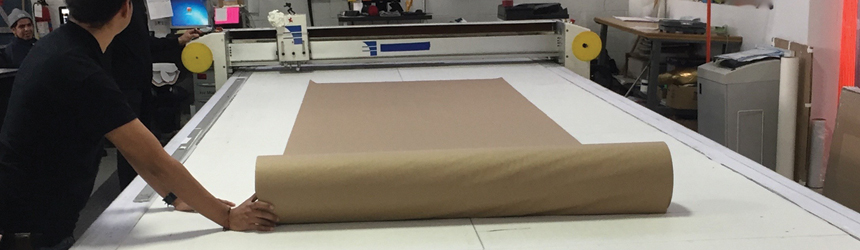
As textile printing accelerates, it is important to address finishing. A breadth of cutting options are available for textiles, from automated flatbeds with laser options to semi-automated roll sheet cutters and handheld rotary cutting devices. These are not unfamiliar to the print service provider (PSP), as experience in cutting traditional flexible signage materials can translate to fabric.

An industrial, short-run, or one-off environment thrives when the correct cutting equipment in chosen. Volume dictates the tools required for finishing. Choosing a fabric cutter is also driven by materials and cost. The type of fabric used on a day-to-day basis may determine whether an automated conveyor flatbed system with laser cutting capabilities is necessary in comparison to a semi-automated, entry-level cutting device.

Cut Through the Clutter
Many PSPs may just be entering fabric printing, thus fabric finishing, for the first time. Helping to become quickly up to speed on their operation, they leverage their previous knowledge of finishing banners and vinyl.

“From a finishing standpoint, fabric is really no different than vinyl or banner material,” shares Dan Cantrell, national sales manager, Zünd America, Inc. With many digital cutters, it is as easy as adding a driven rotary tool and cutting the same as any flexible substrate.

Leonard Marano, director, product marketing, Gerber Technology, agrees. “Previous knowledge of fabrics used, banners or vinyl, will do nothing but enhance the cutting experience out of the gate. Understanding the difference in material properties allows setting cutting parameters for automated processes with a minimal learning curve.”

“Experience with cutting vinyl and banners is useful because it gives customers knowledge in regards to the needs of adapting to different materials and challenges, which come with the use of these materials,” shares Martin Sofranko, account manager, Assyst Bullmer Ltd.

While legacy knowledge plays a part in learning how to finish fabric, Steve Aranoff, VP sales and marketing, MCT, Inc., cautions that banner and vinyl materials are in many ways easier to handle than fabric. “They aren’t as soft and stretchable as fabric, and don’t fray the same way, nor do they get dirty in a manual cutting environment.” In essence, fabric actually benefits even more from an automated finishing system.

“Banners and vinyl tend to be more stable and repeatable through the production process than fabrics. Distortion is a common challenge with many fabric processes that can often be avoided, but if not must be accommodated,” explains Robert W. Boyes, senior product line manager, Coherent, Inc.

Slice of Life
Fabric production comes in many volumes. Whether it be industrial, short run, or one off, it’s important to find a finishing device that matches typical output quantities. Different work settings effect the level of automation and tool variability required.

“It really depends on the output needed,” adheres Jen Kester, marketing manager, Foster. “If it’s going to be an all-day, everyday requirement, then the customer might require something automated for a faster output level. If they are doing more short runs or if their budget doesn’t allow them to get something that big, then going with a tabletop cutting solution is a better fit.”

In environments where patternmaking is common, Werner Waden, president, Colex Industries, states that accuracy and repeatability are critical. “When cutting composite fabrics, small differences in the pattern can change the properties of the finished product.” Both semi- and fully-automated flatbed cutters equipped with intelligent software are ideal for this scenario.

“The market trend is toward just-in-time production so I recommend our customers to get in the short-run niche. For this, a conveyor belt driven digital table with roll feeding system is the best option,” explains Erick Rodriguez, territory manager, DGS – Digital Graphic Systems.

Paul White, sales account manager, tables, Esko, believes automated flatbed tables will do a better—and quicker—job for short runs and industrial applications. For one offs, many times these cuts are fine to complete manually.

Michael Cox, SVP, HSGM Heat Cutting Equipment & Machines, Inc., suggests small handheld units for smaller jobs and larger handhelds with a transformer separate from the handle for more continuous production atmospheres. “Large quantities are decision makers because you cannot use a unit designed for small jobs on large jobs with large quantities or you may damage the unit,” he cautions.

Carving Out a Plan
Various factors play into which cutting mechanism is the best fit for a printer. When determining which tool will aid in productivity—and not detract—PSPs should consider the type of fabric they commonly work with, usual dimensions of fabric, pattern/cut shape, and cost.

Material
Material type is important. Having a finishing device that offers a multitude of cutting accessories—from a knife to a laser cutter—provides the print service provider with enough variety to finish any type of material.

“The two types of ways to cut fabric traditionally are with a knife blade or a laser. To determine which is best, the shop needs to look at the technical specifications of the fabric and learn how it is treated—many are sprayed or treated with a chemical to hold the fibers together better,” advises White.

Rick Heath, sales, ez Router, Inc., suggests that tangential knives, water jet, rotary knives, and lasers as all ideal for many fabric types.

“Some fabrics cut and seal well with laser, and others do not. Cottons, for example, require knife cutting—as do some thicker fabrics. Thinner fabrics, however, even if they can be cut by a driven wheel, are much better cut with a laser because they tend to stretch and pucker,” says Aranoff.

When using a hot cutter, which cuts and seals fabric simultaneously, synthetic fabrics are the best option. “If you try to use it on the something like cotton the material burns or the PVC base melts,” advises Kester.

Dimension
Fabric size should be considered. Cantrell explains that in the fabric world 3.2-meter or ten-foot is a very common roll size, making width a consideration when choosing the correct finishing device. He points out that length is not so important because automated, conveyorized flatbed cutters allow for endless cutting.

“One of the first questions to ask yourself is what is my widest fabric. This dictates the width of the gantry. You will need a vacuum table to secure your fabric during automated cutting. This table can be as long or as short as needed, but longer tables tend to be more efficient,” advises Thomas Carlson, manager, Carlson Design.

Sofranko encourages customers to make full use of their five-meter wide printing equipment by purchasing the widest fabrics possible. This means a cutting machine must also be prepared to handle material up to five meters in width.

Many manufacturers create finishing devices specifically for the customer. “Systems are configured to meet the customer’s widest material and longest pattern piece that needs to be cut,” explains Elizabeth McGruder, marketing manager, Eastman Machine.

Pattern/Cut Shape
Patterns and types of cuts are another factor. “It depends on the type of material and pattern that needs to be cut. We determine if the customer needs to cut patterns, straight lines, large radius curves, one-of-a-kind patterns, and samples in high or low volumes,” shares McGruder.

For example, Aranoff points out that a semi-automatic roll sheet cutter using knife cutting/slitting would be a good option for handling rolls of mid-length or longer rectangles. Conversely, if PSPs plan on cutting smaller rectangles or other shapes like curves, a fully automated flatbed cutting system is ideal.

“It depends a lot on the upstream process and how the material will be presented to the machine. Flatbed machines with laser cutting options tend to do better with materials that are cut into sheet form, as this allows the material to be presented to the laser in a reduced stress state,” adds Boyes.

Ed Prieto, managing director, Media One Digital Imaging Solutions, LLC, agrees, explaining that since no pressure is placed on the media when cutting with a laser, it provides 100 percent accuracy. “It makes it an effective solution for an efficient workflow in the manufacturing of soft signage.”

Cost
Cost analysis is imperative for any large purchase. “Savings in labor and materials should be considered when evaluating your return on investment and selecting a cutter that makes the most sense for your shop,” shares Marano.

With many cutting systems, costs range depending on whether the PSP already owns a solution and simply needs to purchase the correct accessory to cut fabric or they are buying an entirely new cutter.

An automated cutting solution ranges from $20K to $60K at Carlson Design, depending on the model size and how turnkey or custom the user requests.

Laser-based machines vary in cost. For example, Coherent’s newest solution—which is built to handle fabric, film, or foil, lists at just under $100K.

Colex’s Sharpcut Basic Cutter is $80,000, while its Sharpcut Conveyor Cutter with an automatic roll feeder is $100,000.

Conveyor belt, automated roll feeding tables from DGS come in at $65,000 for a 51-inch width and $140,000 for a 120-inch model.

Eastman’s manually operated cutting machines start at $500. Its fully automated systems begin at approximately $70,000.

Esko’s Kongsberg tables, including all of the parts appropriate for cutting fabrics, start from a little more than $100,000.

For a cold cut, semi-automated option like Foster’s Evolution-E2, the cost ranges from $1,360 to $2,195 depending on the size. Looking to hot cut, a print provider can add a heat knife carrier option for an additional $240.

A small handheld heat cutter’s price at HSGM starts at around $150. A larger heat cutter offering more continuous cutting is about $1,500.

For a semi-automated roll sheet cutter, Aranoff cites MCT’s ten-foot systems as priced under $100K.

At Zünd, Cantrell says a new cutter can range anywhere from $110K to $250K because of the modularity of its systems.

Staying a Cut Ahead
Whether familiar with fabric cutting or new to the game, PSPs should realize the importance of transferring prior finishing skills to this service. Understanding the nuances of a specific material, how often it will be cut and quantity levels, type of cut shapes, dimension, and cost are all additional criteria to consider. The result is the appropriate finishing tool in house that allows a PSP to manage customer expectations while offering high-quality fabric services from print to cut. When this is achieved unlimited opportunities are available for fabric-based creations.

Click here to view the Digital Finishing Vendors Target Chart – an all-inclusive information resource!

Jan2016, Digital Output

Canvases Wear Coats Too

Canvases Wear Coats Too

By Courtney Saba

Digitally produced fine art prints are revenue generators for many print service providers (PSPs). Customers need prints that withstand challenges such as precipitation and human handling. Liquid coatings aid in achieving this. In addition to protecting, they enhance canvas prints by offering richer colors and different textures to strengthen the artistic intention. When applying liquid coatings, there are several options to consider—brush, roller, spray, or lamination. Each presents its own challenges.

Benefits
Liquid coatings serve multiple purposes. Physical protection and artistic enhancements are the main reasons a PSP would choose to use them. There is a decreased possibility of UV light degradation, moisture, humidity, handling, and abrasion when a liquid coating is used. In addition to guarding a print, liquid coatings can also prevent the ink set from performing poorly and eliminate the possibility of glare.

“Liquid coating keeps inks from cracking when a canvas print is stretched during the finishing process,” explains Nate Goodman, product manager, Drytac Corporation.

Sarah Perkins, sales and marketing coordinator, Marabu North America, provides an example of when she created a canvas print for a colleague and did one with a liquid coating and the other without. “When I went to stretch the uncoated canvas, the ink immediately cracked at the corners of the piece and started peeling away from the canvas,” she shares. The print that was coated not only provided more saturated colors throughout the graphic, but it was “night and day” how the canvas reacted upon stretching.

Goodman shares that besides physical protection, liquid coatings also help to manage gloss levels and reduce glare and reflections that detract from an image.

While offering protection, liquid coatings provide the added benefit of visual improvements to increase the quality of the canvas print. “It enhances the ‘pop’ factor that makes the colors more rich and vibrant,” explains Michael Clementi, experience center team leader, LexJet Corporation. The color quality that can be achieved after applying a liquid coating is a benefit recommended by multiple companies that manufacture this product.

Greg White, director of sales and marketing, Premier Imaging Products, finds that besides artistic enhancement, different types of coatings improve the end result. “Using a gloss, satin, or matte finish changes the final appearance of the canvas regardless of the initial type of finish.”

White continues by providing the example of beginning with a typically less expensive matte canvas and applying a gloss coating to yield a high-gloss finished product. Another suggestion is applying specialized coatings such as embellishments that provide the appearance of a three-dimensional brush stroke.

Application Options
Liquid coatings are applied with a brush, roller, spray, or laminator. The size and type of media and intended final appearance determine which method is chosen.

“It is important to consider how compatible a coating is with the inks, media, and application method used. Thicker coatings can be rolled or brushed on, but the coating must be thin enough to run through a spray nozzle if being sprayed on,” recommends Goodman.

Brush application is a popular method. “It is a quick and easy way to coat canvas and you achieve good square footage per gallon. When you use spray, you lose some coating to the atmosphere so square footage is only about 60 percent of what you’d achieve from a brush and roll application,” suggests Perkins.

While a brush is one of the more common and inexpensive ways to apply a liquid coating, it comes with its challenges. “A closed cell brush or roller minimizes the amount of air bubbles during application. But, since the coating is applied in sections with this method, it can result in an uneven or streaky finish. It is also difficult to control the thickness of the coating applied to the media with a brush,” advises Ike Harris, president, Daige.

Rollers are also a low-cost application option. “It is most often a printmaker’s go-to method. It’s simple and low cost to get into, requiring very little ancillary equipment or technical knowhow,” says Will Vermillion, inside sales, Breathing Color.

However, rollers can be difficult to use with larger pieces of art because the coating tends to dry too quickly, causing inconsistencies in the final product. Even with smaller pieces it’s sometimes hard to get the coating to look even and precise.

Spray guns are efficient and easy to use, both White and Clementi point out, but require a bit of technique. Using this method requires the ability to judge how much coating has been applied, as well as the thickness. Another thing to keep in mind with the spray method is the footprint you have to work in. A spray booth is suggested, but will take up a good amount of space.

“Spray applications are nice because they can help avoid paint roller transfer, which is when the coating re-wets the ink and colors transfer from the canvas to the roller. With a spray application the coating settles from above as opposed to disrupting the surface,” shares Perkins.

Lamination is the final option for applying liquid coating. “By far, a liquid laminator is the quickest, most consistent option,” says Goodman. He explains that certain liquid laminators use a Mayer bar to evenly apply the coating across the image. This is successful in metering the thickness of the coating applied and drying the print before winding it on a core.

Harris outlines three different types of lamination—roll to roll, sheet-fed motorized, and manual. Roll to roll laminators apply the coating to a roll of canvas, dry the coating, then rewind the canvas on a roll. Sheet-fed motorized devices coat individual sheets. Manual laminators apply a smooth, even coating to sheets of canvas.

“Liquid laminators are ideal for those who don’t have the space for a spray booth or brush and roll application—the canvas has to lie flat somewhere and dry in between coats and that can take up a lot of space. They also allow the operator to go do other things while the canvas is running,” recommends Perkins.

Challenges
Liquid coatings are meant to protect and enhance canvas prints. However, a number of challenges—bubbles, pinholes, ink uptake during rolling, orange peel effect, drips/runs, craters, and unevenness—can occur while using any of the application methods. All are preventable. Additionally, the type of coating and canvas used can present issues.

When spraying liquid coating, a challenge is the liquid running on the canvas. “You’re likely applying too much coating, try increasing your hand speed. Also keep your print at about a 60 degree angle on the easel or spray surface,” suggests Vermillion. He also advises on how to avoid pinholes and bubbling during and after application. After application, if there are pinholes, there is not enough coating being applied during the first coat. If there is bubbling during and after application be sure the liquid is stirred and never shaken.

Clementi adds that for spraying on canvas, “if you have it set too heavy, gravity will cause the coating to coagulate and form drops. This may also cause the spray to form a texture on the surface of the canvas by spitting out too much coating. The quality of the gun and the size of the nozzle also determines how smooth and even the spray applies.”

The biggest challenge for a PSP working with a liquid laminator is keeping the machine running smoothly. To do so, it is important that it regularly undergoes maintenance. Machine settings should also be addressed on a consistent basis to ensure it is working in an optimum environment.

If applying by a roller, ink lifting can occur. This happens when the roller is allowed the time to dry completely. Clementi recommends two coats, one vertically and let dry completely, and then apply the second coat horizontally.

Another common concern is streaking. If there are thicker lines where the edges of the roller applied the coating, go back over them and level them out while still wet. This eliminates any form of streaking.

When using a roller or brush, Perkins cautions against pushing down too hard, the result is bubbling. “Bubbling can also be a result of an incompatibility with the inkjet receptive layer and the coating, causing the air in the pores of the inkjet receptive layer to be pushed to the surface—but nine times out of ten it is just pushing down too hard with the roller or brush.”

Aside from method deficiencies, the coating itself could create some challenges. “Before the liquid coating can be applied, it must be thoroughly mixed. If it is over agitated, bubbles that cannot be popped may appear. To avoid issues like outgassing, reticulation, and streaking, the coating must work well with the print,” explains Goodman.

Coatings should never be mixed with a wood-based product, according to Vermillion. “Never allow wood, cardboard, or newspaper to come in contact with your coating or prints. This can and will likely cause acid contamination and yellow prints.”

Much like a coating can cause difficulties, so too can the canvas. It is important to match the canvas type with the coating. “Water-based liquid laminates are designed for use with water-resistant canvases printed with UV or pigmented inks. If you try to coat a regular canvas with pigmented inks, then the liquid coating will lift the inks,” advises Harris.

“Using a moisture sensitive canvas, as opposed to a matte water-resistant canvas, can cause cracking. It is important to remember that if you are using a moisture-sensitive canvas, you need to use a solvent-based coating as opposed to a water-based coating,” advises Perkins.

Some canvases also have a pre-coat that may cause bubbles. “Although the majority of canvases can be coated properly with the liquid coating, some canvases have a pre-coat that causes excessive bubbles. Instead of the bubbles popping and drying smoothly, they dry into craters,” cautions Harris.

Coatings
The benefits of using liquid coatings for canvas prints outweigh any challenges. It is important to understand the different application methods before starting a project. When the correct combination is used, the result is a protected canvas print.

Jan2016, Digital Output

Online Capabilities

Online Capabilities

By Cassandra Balentine

Placing and managing orders online is second nature to many print customers, particularly business to commercial consumer (B2C). However, the ease of use offered by Web to print (W2P) solutions has expanded to serve more of the print space, including wide format and business to business (B2B).

While not every wide format job is right for W2P, print service providers (PSPs) offering the capability can attract new customers that may not want or need to interact with a customer service representative. This frees up employees’ time to work on other projects or direct their talents and usefulness elsewhere.

In addition to the ability to attract new customers—and more effectively serve those that frequently run repeat or non-complex jobs—additional benefits for W2P vary based on the functionality the PSP subscribes to.

For basic storefront submissions, PSPs offer improved customer service, standardization, and an engaging Web experience. Once integration capabilities are added to the mix, additional advantages for the PSP, such as increased productivity, reduced turnaround time, and minimized errors, also come into play.

Many W2P solutions are established for the commercial print space, but more offerings have emerged to cater to wide format applications. Wide format PSPs should consider the benefits and challenges of W2P to determine if it makes sense for their specific operation.

Wide Format Considerations
A variety of functions are included in today’s W2P solutions. However, wide format users require specific features that may be outside those required by traditional commercial printers. These features include customizable product templates, the ability to support customer-uploaded files, price calculations based on square footage, a system for flagging low-resolution or poor quality graphics, and the capability to zoom into fine detail.

Due to the complexity many wide format jobs entail, Charlotte Tueckmantel, VP/GM, value-added solutions, productivity software, EFI, believes that this complexity should be transparent to the buyer. She describes a solution that intuitively guides customers to the best possible specifications for their intended use as a must have.

“Buyers should be provided with an accurate preview of the finished product, including finishing, accurate real-time pricing with the ability to test various scenarios, ability to validate the quality of uploaded artwork, and an in-browser design engine for WYSIWYG editing,” she says.

Online interactive designers are a core component of many systems and enable end customers to create and interact with graphics through the software. “Currently, most print businesses only allow for uploading graphics to initiate an order. The real opportunity is to allow for the generation/creation of production-ready graphics using a simple online designer,” says JP Hunt, partner, InkSoft.

Mark Gallucci, manager, technology marketing, commercial software, Agfa Graphics, suggests wide format PSPs also benefit from a W2P solution that easily handles varied file types and sizes as well as the ability to preflight customer-uploaded artwork appropriately to identify serious problems without discouraging the buyer.

“Not every W2P solution is meant to deal with large files, and not every workflow is made to deal with designing on a large canvas,” warns Slava Apel, CEO, Amazing Print Corp., noting that PSPs need to invest in the right solution from the start.

Usman Ali, principal, Ordant, adds that in his experience, most W2P software is fragmented and not specifically built for wide format. “Clients end up having multiple software solutions, one for estimating, one for W2P, and a third for tracking. Most companies are trying to connect these multiple software options, which not only increases the total cost, but also puts the PSP at risk if the connection is broken,” he explains.

Having a W2P in place is one step. However, a successful W2P system requires work. It is important to understand the necessary commitment of resources required to get started.

“Because wide format covers a lot of ground, most companies operating in this space find that their W2P solution needs a fair amount of setup,” says Liz Wilson, group marketing director, Customer Focus Software, Inc.

Bryant Gillespie, sales and marketing manager, ShopVOX, agrees. “I think a lot of people research W2P and assume it’s going to fix their headaches. I was guilty of this myself,” he admits. “The reality is it takes a lot of work to setup a storefront, create the templates, and change your current processes—all before you start getting orders. And you have to commit the time and people to set up and promote. Don’t let that discourage anyone—just know that you need a solid plan for what happens after you purchase your solution.”

Hosting is another consideration. Cloud-based or Software as a Service (SaaS) solutions provide a certain level of attractiveness. “A SaaS solution makes it easy to implement without the cost and complexity of local servers, infrastructure, bandwidth, and security,” says Gallucci.

Ellen Hurwitch, director of operations, the Americas, RedTie Limited, believes that overall, the challenges associated with establishing W2P in wide format are diminishing and solutions continue to evolve to remove any remaining hurdles.

Advantages and Limitations
As with any software implementation, there are advantages and limitations to W2P systems.

In terms of advantages, Scott St. Cyr, principal, Cyrious Software, points out that online ordering is an extension of your customer service and a tool for winning new business. He explains that as customers begin ordering online, they may purchase products not previously supplied to them. “With an ordering system in place, the wide format PSP becomes well equipped to seek new business from multi-location businesses and large corporations.”

David Conrad, director of marketing, Mutoh America, Inc., says wide format printers looking to expand their market and grow their business need to be able to reach customers outside of their traditional sales territory. “Most of the brick and mortar print shops are limited to local traffic and are looking for ways to build their business and promote their products and capabilities without adding a ton of overhead costs,” he explains, adding that W2P solutions can provide just that.

However, wide format-focused PSPs have many factors to consider before selecting and implementing a W2P solution. Serge Clauss, product sales manager, Caldera, says wide format printing businesses are versatile and therefore require a lot of flexibility. “The ecommerce solution needs to apply the same philosophy,” he offers.

Beyond basic signs and banners, there is an opportunity to customize products like clothing, textiles, décor items, packaging, and prototypes. Gallucci suggests that a flexible W2P system should have no problem facilitating these applications.

Even with the best storefronts, adoption by the end user can be challenging. “We have witnessed great websites that take a long time to gain momentum because no person at the corporate headquarters can put a plan in place for their users to migrate to it,” admits St. Cyr. “We recommend that wide format businesses always charge a significant fee for the development of a customized storefront, which may help cover the setup time, but more importantly gives someone at the customer location ownership of the results and increases the likelihood of success.”

End User Ease of Use
For W2P to be successful, customers must utilize the system. Therefore, ease of use is essential. “Wide format has taken on a bigger role in the print world. The need for end users to be able to use an online ordering system to get their projects priced and produced is becoming greater,” admits Hurwitch.

Ease of use is one of the main reasons for a print buyer to use a PSP’s W2P solution. “Today customer convenience is a deliverable just as much as the finished piece. A simple and intuitive user experience is critical to achieving this. For the PSP, ease of use translates into not needing to hire a Web developer to create and manage the W2P storefronts,” says Steve Ciesemier, direct sales manager, Aleyant Systems, LLC.

It is this ease of use that is the best measurement for any system. Apel points out that if customers can’t use an online designer, or if the designer is too complicated, the provider will lose sales. “PSPs should look for a system that is fast, non-Flash, and offers guidance in every step of the way. For every one-second delay in Web performance, businesses typically loose seven percent of conversions,” cautions Apel.

Gillespie believes that ease of use is the most important aspect. He explains that even if you get an order in without picking up the phone or deciphering an email, it is not a win for your customer if they have to spend 20 minutes trying to figure it out.

PSPs must consider their audience and request features and functions specific to that market. “Professional users are quite familiar with advanced tools. However, if your website is dedicated to non-professional customers, it’s strongly recommended to limit the number of options. You need to find the right balance,” suggests Clauss.

Because wide format spans a variety of applications, keep the process as intuitive as possible. “For example, design templates with safe zones to help users,” recommends Wilson.

St. Cyr says that the functions offered by W2P are meant to simplify the process for both users and the PSP. “Just by automating the approval process and moving it online, our customers save hours per week and increase the speed from order to production,” he offers.

According to Reuben Quesus, director of business development, RacadTech, ease of use is essential to a W2P solution. “It will make or break a technology company. If W2P products are not efficient, website visitors will not stay loyal for long.”

Integration
Select W2P solutions enable integration with additional systems such as RIPs, job costing, scheduling, and color management. Depending on the PSP and its typical workflow, integration functionality may be viewed as critical or nice to have.

Integration with workflow can provide more efficiency and reliability, fewer touch points and errors, and easier administration and management,” says Gallucci.

Additionally, integration with business management solutions, such as accounting software and shipping adds to ease of use for both the end user and PSP.

So how important is integration to print providers? “We surveyed trade show participants to ask this very question,” recalls Wilson. “They said it was a nice to have rather than a critical asset.”

Hurwitch agrees, adding that integration is important, but may not be top priority for all. “When you are planning to take some—or all—of your business online, there is a lot to do in terms of setup, and even learning how to do business online. So in my opinion, it is important that the solution you choose can integrate into your current processes, but it is something that can wait until the order volumes justify it.”

The importance of integration may simply correlate to the amount of orders a PSP is expecting. “W2P can become an industrial process. Everything can be automated from the order up to the print,” says Clauss.

However, he explains that there is a big difference between W2P and the ability to get orders via a website. “Obviously, if you need to treat all the data manually, your costs and reactivity will be altered. Therefore, if you want to grow you need to connect your solutions together.”

Tueckmantel suggests seamless integration between order entry, management, and production systems eliminates the need for data re-entry, improves turn times, reduces errors and waste, and supports workflow automation from customer self-service order entry through shipping, data collection, and invoicing.

Integration capabilities are important for improving productivity and reducing errors for the print provider. “Integrations can reduce the number of ‘touches’ whether its retrieving orders, opening and reviewing files, entering orders in accounting systems, or running jobs,” recommends Ciesemier.

St. Cyr says that the decision to automate is independent of the W2P, but the W2P implementation should match the existing automation strategy. “If the organization is already using automated workflow, then they should consider how to integrate W2P into that process. If they are not, it could be a mistake to implement a major process change at the same time as a new technology application,” he cautions.

“Avoiding data re-entry and being able to send data to other systems saves time. It’s difficult for a company to scale up and grow without these time-saving integrations,” adds David Rudolph, founder, Pixta, Inc.

Web to Wide Format
W2P solutions provide a way to expand business and attract new customers. Additionally, with integration into existing workflow, these solutions can help streamline business and production processing from order entry through printing and finishing, as well as shipping and fulfillment. It is important to consider functions that specifically cater to wide format needs to ensure ease of use for customers.

Click here to view the Finding W2P Functionality Target Chart – an all-inclusive information resource!

Jan2016, Digital Output

Designing Walls

Designing Walls

By Courtney Saba

Businesses large and small benefit from a touch of personalization. Digitally printed wallcoverings are one way to achieve this. Today’s print service providers (PSPs) recognize the appeal of this application as both a design element and a way to positively promote a brand. Typically found in environments from retail to trade shows, home décor and hospitality, wallcoverings are an option wherever there is a wall.

Dolce Design
Christopher Fragala, owner, Dolce Design New York, began his first business in 1996. It was a sign company where the majority of the work was done with paint and plotter cut vinyl, specializing in vehicle branding and custom signs.

In 2005 he decided to take the business in the direction of digital wide format, graphic design, and sign and banners. At the time, Fragala purchased his first digital printer, a 54-inch Roland DGA Corporation VersaCAMM VP-540.

Today the 100 percent digital business is located in Farmingdale, NY—the heart of Long Island—which provides the company with easy access to clients in New York City, as well as locally on Long Island. Working out of a 3,500 square foot facility with three full time and one part time employee, its services include vehicle and marine wraps, logo branding, custom signs and banners, print collateral, interior/exterior wrap applications, and vehicle color changes.

In addition to the Roland VersaCAMM VP-540, which is still in operation, the shop also utilizes an Applikator 2R 1420 laminator from Australian manufacturer, EMSeal Pty. Ltd. This is a 56-inch pressure-sensitive device. Design software used in house includes CADlink Technology Corporation’s SignLab Version 8 and Adobe System Incorporated’s Creative Suite 6. For 2016, Fragala has his eye on acquiring a Hewlett-Packard Latex printer.

With recent advancements in media and printing technologies, Dolce Design continues to expand its service offerings. One of these additions is wallcoverings, which are becoming popular for companies of all sizes and backgrounds.

“We’re noticing interior digital wallcoverings aren’t just for the big retailer. More small businesses are investing marketing dollars to display their brand and dress up brick and mortar locations. They are everywhere from conference rooms to lobbies, showrooms, and even in warehouse workspaces to build employee morale,” explains Fragala.

Wallcoverings for Show
Dolce Design recently designed, printed, and installed wallcoverings for six walls in the Long Island Ferrari/Maserati (LIFM) pre-owned showroom. The project took six days from start to finish with approximately 14,000 square feet of media.

“We spoke to the LIFM marketing director and asked her to describe the look and feel they were trying to achieve. Once we understood that, they left us fully in charge of design and concept,” says Fragala.

After the graphics were approved, the project was put into production. One of its go-to choices, the print provider used Avery Dennison Graphics Solutions’ MPI 2611 Wall film with a matching DOL matte overlaminate. A calendered film, Avery Dennison MPI 2611 features 100 percent opacity, covering whatever is underneath the print. A matte finish provides ideal image quality and color pop. It is specifically developed for use as a wall mural, point of purchase, and in trade show environments and carries an ASTM E84 Class 1 or A rating.

ASTM E84 is a test method used to evaluate a material’s flammability characteristics. A Class 1 or A rating calls for a flame spread index of zero to 25 and a smoke-developed value of zero to 450.

According to Fragala, Dolce Design chose to use this specific media for the LIFM project for a variety of reasons. For one thing, it prints well with its Roland VersaCAMM VP-540 using Roland Eco-Sol Max ink, which was used for this job.

“With our interior wallcoverings portfolio growing every quarter, and quality being a very important component, we love the output Roland gives us day in and day out,” explains Fragala.

The PSP also favored Avery Dennison MPI 2611 for this particular application because the adhesive backing makes it easy for installers to reposition and apply the panels in a timely manner. Two technicians installed the wallcoverings in ten hours. The client was pleased with the final product and has since contacted Dolce Design for additional work.

The greatest challenge was finding high-resolution photos of exotic cars that were large enough to print clearly. Luckily, Dolce Design successfully discovered what it was looking for thanks to a local photographer. In addition, the high-quality graphics that were eventually chosen made an impact on the Internet, giving Dolce Design a notable presence on social media.

All Digital
In 2005, when Dolce Design began, Fragala made the decision to go 100 percent digital. His decision paved the way for him to learn and eventually offer customizable, cost-effective applications such as wallcoverings in addition to more traditional services like automotive customization and graphics design.

Investments in wide format digital printers and media allow this PSP to branch out and offer unique graphics to businesses of all sizes. The work done for many of its clients has resulted in getting the Dolce Design name out there thanks to promotion on social media. High-profile projects like LIFM attract attention. Working with quality media, printers, and partners secures success that can go a long way.

Jan2016, Digital Output