The Largest in History

By Digital Output Staff

The Specialty Graphic Imaging Association (SGIA) held its annual SGIA Expo in September 2016 at the Las Vegas Convention Center in Las Vegas, NV. The organization reports that this year’s trade show floor was the largest in SGIA history, clocking in at 272,700 square feet. 562 vendors showcased their newest products and services to over 24,000 registrants, according to SGIA. 46 percent of the attendees experienced the event for the first time.

At the Show
We highlight some of the notable products seen on the show floor.

Arlon Graphics, LLC displayed DPF 510G and 510M window media. Both are ideal for short-term signage, real estate signage, point of purchase, trade show graphics, and kiosks. They are compatible with eco-solvent, latex, and solvent ink.

Caldera highlighted Webshop, a Web to print (W2P) solution developed with wide format printing in mind. The software as a service product integrated with Caldera’s RIP software creates a complete sales-to-production solution. The company also recently released Version 11 of its RIP software.

Canon announced new UVgel printing technology. It is a UV-curable ink that instantly gels on contact with media. The company plans on debuting roll-to-roll printers featuring this ink, the first of which, a 64-inch device released in Spring 2017.

CET Color entered into the finishing space with the introduction of a new 4×8-foot cutter, with plans to sell a 5×10-foot model as well. The Andes Series features a cutting thickness of 1.96 inches and maximum cutting speed of 47.24 inches depending on the material. CET also announced the new Mosaic ink set for its printers, offering increased flexibility.
Colex debuted the Sharpcut Flatbed Cutter 3232. It is designed for automated finishing of wide format media 10×10-feet and textile applications.

DigiFab Systems, Inc. announced its new DigiHeat 6763-XO and 7571-XO oil heat presses. The devices are designed to transfer dye-sublimation (dye-sub) prints to polyester and poly-blend fabrics reaching up to 75 inches in width.

Durst Image Technology US LLC exhibited the Rhotex 500 for the first time in North America. The five-meter soft signage printer utilizes the company’s water technology, which features eco-friendly, water-based, and odorless dispersion inks.

EFI showcased several products in its booth. Of note, it announced EFI eCommerce for Soft Signage, an offering that includes Digital StoreFront W2P and eCommerce software, Fiery proServer SE DFE, and an EFI VUTEk FabriVu 340 printer. The bundle is designed to get users quickly up and running in soft signage.

Fisher Textiles debuted six new fabrics. These included 4585 Natural Cotton Canvas, DD 7276 Supreme Knit, DD 8881 Opaque White, and GF 6180 Table Cloth. Existing Silver Flag Liner and GF 7176 Supreme Knit are now available in wider widths.

Fujifilm North America Corporation announced the new Acuity Select HS 30 series. It is capable of print speeds of up to 620 square feet per hour, nearly double the speed of the Acuity Select 20 series. The flatbed UV printer is available with a roll option.

HP Inc. unveiled the new HP Latex 300 Printer series, made up of the HP Latex 315, 335, and 365 printers. They offer increased media versatility, high-quality production printing, and continuous printing capabilities for print service providers looking for an entry-level device.
Lintec of America, Inc. announced its new VisionControlFilm. From one viewing angle, the film appears clear, but if seen from a different direction the glass changes its opacity until a frosted effect is achieved. Made from environmentally friendly PVC-free materials, eight viewing angle options are available.

Mactac Distributor Products announced expansions to several of its media portfolios, including the IMAGin PrintVinyl Promotional Media Series and IMAGin B-free Gruv bubble-free digital media. In addition, a newly enhanced version of IMAGin RoughRAP wall wrapping film was displayed—offering better conformability and adhesion.

Mimaki USA, Inc. showcased a number of products in its booth. Notably, it highlighted its JFX200-2531 dual-bed UV LED flatbed printer, which was announced earlier in September. This ten-foot flatbed printer can accommodate oversized sheets with a total printable area of up to 98.4×122 inches.

In addition to displaying a full portfolio of products, Mutoh America, Inc. provided a sneak peek of its newest dye-sub printer, the ValueJet 1948WX. The four printhead device is touted as coming soon.

Oki Data Americas showcased a new entry-level product—the ColorPainter E-64s. The new printer uses low-odor, eco-solvent SX inks, which achieve high-density colors and details in dark areas.

Onyx Graphics, Inc. highlighted ONYX 12.1, the latest update to its ONYX 12 solution. On average, processing times in ONYX 12.1 software are three times faster than in ONYX 12 for halftone processing.

Orafol Americas promoted its multiple wrap options including Orajet 3981RA with up to ten years durability. It won’t yellow, fade, crack, or peel, according to the company. Orajet 3751RA offers up to eight years durability and as a high-value wrapping film is ideal for everyday wrapping applications.

Roland DGA Corporation exhibited its new TrueVIS 30- and 54-inch SG series printer/cutters in addition to the rest of its product portfolio. Debuted at the beginning of September, the SG-300 and SG-540 are equipped with Roland FlexFire printheads and TrueVIS INK.

swissQprint promoted its new U.S. sales and service team—now based in Elgin, IL. The company moved to this location in August and it boasts a showroom with its Nyala 2 and Impala 2 UV flatbed printers.

In 2017
Next year, SGIA Expo 2017 is held in New Orleans, LA from October 10 to 12, 2017 at the New Orleans Morial Convention Center. Stay with Digital Output as more information becomes available. DO

Nov2016, Digital Output

Simply Stunning

By Cassandra Balentine

Wide format graphics are all about impact. With the help of display hardware and lighting, backlit graphics generate attention. Many variables—like the type of display hardware or substrate—provide options for lots of print service providers (PSPs).

While fabric media is trending in backlit, especially paired with popular silicone edge graphics (SEG) frames, more traditional backlit films hold their value. “When done correctly, backlit film displays vibrant graphics to catch the attention of a passersby and effectively highlight promotional products and services,” says Nate Goodman, product manager, Drytac.

Andreas DeGroot, senior marketing manager, Sihl Inc., adds that backlit films offer a luminous quality that gives a graphic the appearance of depth. “It is very eye catching, which for retail graphics is ideal. Because of the backlit nature, it is also easier to read any information printed on the graphic, making it memorable.”

Retail and restaurant signage as well as point of purchase (POP) are ideal candidates since they benefit from the quality and readability backlit film displays offer.

Backlit Film Popularity
Backlit signage provides a standout solution for retail and restaurant settings. In the retail space—including venues like airports and bus stations—cosmetic, jewelry, and high-tech customers want the color pop and high-quality look achieved with the help of backlit films. This type of signage is also prevalent in wayfinding, kiosk, and museum applications.

Rebecca Fuhrman, marketing development manager, Tekra, a division of EIS, Inc., suggests that backlit films have stood the test of time due to their durability and ability to produce crisp images. “The versatility of film and various plastics allow there to be an option for each application from menu boards to scrolling signage,” she adds.

Angel Georgiou, senior marketing specialist, imaging supplies, Canon Solutions America, agrees, explaining that although traditional films have slowed down in the inkjet market, they are still used for retail high-end product applications on UV and latex printers. She points out that many are looking for a replacement for traditional photographic backlit films that were printed on Lightjet or Lambda printers.

Backlit signage helps readability when there is little ambient light or excessive sun glare. “Displays of food and jewelry are perennial favorites for backlit signage as well as signs competing for attention in crowded areas with other signage,” offers DeGroot.

Kylie Schleicher, marketing manager, Ultraflex Systems, Inc., suggests that retailers seek to attract attention with crisp, clear images and vibrant colors, particularly in the technology sector. “High-tech promotions for smartphones and tablets allow the customer to visualize the product as it is intended for use.” She says backlit films use advanced ink technologies to produce vivid images and offer higher output resolution enabling the customer to see how the phone/tablet will appear.

Fabric vs. Film

Although still relevant and utilized, backlit film is competing with fabric. However, like any substrate decision, there are advantages and challenges to each selection and the choice is largely dependent on the specific job.

Ted Isbell, graphic specialist, Piedmont Plastics, agrees. “Although fabric backlit products are growing at a fast pace, polyester film backlit products are still extremely popular for many applications we are regularly in contact with as a company,” he comments.

Lily Hunter, product manager, textiles and consumables, Roland DGA Corporation, says backlit film products are ideal for indoor retail signage, and even for decoration and art applications. “They are popular because they offer a look and feel that is different from fabric,” she shares.

Fuhrman points out that specifically, polyester and polycarbonate films are seen in high-end, large format graphic display applications. Compared with backlit fabrics, “films offer crisper, more vibrant colors, which allow for more pop as well as smoother gradients in images such as skin tone,” she continues.

DeGroot believes that advertisements with a lot of detail or those that require a wider color gamut benefit from backlit film over fabric. In addition, films are better for displays that will be viewed up close or in place for an extended period of time.

“Films have that ‘photographic look’ and can be scrutinized at distances of inches,” agrees Shaun Jaycox, product specialist, S-One Holdings Corporation.

In addition to quality, cost is a factor in determining the best solution. This takes into account the media cost, but also labor in terms of production and installation.

Georgiou says that with films, you’re paying for the “durability, stability, image quality, feel, and look of those images in a light box that is 4×5 feet.” She explains that if printed on aqueous inkjet, the product provides beautiful images, but may become quite expensive per square foot. “Fabric can be less expensive—we offer a $.54 square foot 100 percent polyester fabric. Fabric panels can be folded and sent out instead of rolled up in a tube, which reduces cost,” she points out.

Hunter admits that sublimated backlit fabrics can be easier to install than backlit film. “Sublimated backlit fabrics are generally SEG, where the silicone keder or beading is sewn into the fabric. These are easily installed and extruded frames.” Fabric can cost less overall, and it doesn’t require a diffuser layer like backlit film does. “These days, more fabric manufactures offer lower cost fabrics for sublimation backlit applications,” she shares.

On the other hand, Schleicher shares that backlit films can be less expensive than fabrics and are easier to finish and install. “There is no need for sewing or grommets and films can be adhered to acrylic and installed to the frame easier.”

Isbell says fabrics are best when printed via the dye-sublimation (dye-sub) process, which adds labor, transfer paper, and a higher cost per square foot of fabric media.

DeGroot sees several benefits to textilebased backlit graphics, but says film is more durable and looks better over a longer period of time. He believes that films do not dirty as easily as a fabric graphic might. “Most backlit fabric is imaged using dye-sub, and the image quality is not as good as an image printed on a coated film backlit.”

Backlit Benefits in Retail

As previously mentioned, backlit film products offer advantages from a color vibrancy and readability standpoint. These factors really matter when it comes to retail and restaurant settings. Ease of graphic changeover and the ability to view in day or night settings is also important.

“Backlit films offer versatility,” states Fuhrman. Various film types enable outdoor signage, such as menu boards, and the high-end look that is often sought for retail and cosmetics. “The breadth of plastics available for the digital print market is widening daily, and this allows customers to find a film that is tailored to a specific project, whether they need crisp print quality, heat, chemical, or water resistance,” she says.

In a retail or restaurant setting, Georgiou believes it is polyester film’s stability that stands out. She says they are dimensionally stable for ink adhesion and archiveability of an image. “Where the ozone might be a bit more mixed with odors from a restaurant, the film images would weather better for the long term.”

Schleicher says backlit films are easily changed, offering retailers the ability to update their promotions frequently.

“For graphics that will be installed by the retail store or restaurant personnel, film backlit signs are easier to install and end with a professional look,” explains DeGroot. “Backlit films either drop into channels or are clipped onto the frame.

Mary Davis, director, wide format and graphics, Mac Papers, agrees, noting that backlit films are ideal for POP, retail, and restaurant settings because they are easy to refresh for a new promotion or menu. “In restaurants, backlit films can also offer benefits for low or ambient lighting dining environments, helping the menu or signage grab customer attention. Menus in particular are easier to read when backlit.”

Features to Consider

In addition to the advantages specific to retail and POP applications, several other considerations help PSPs determine which—if any—backlit film is the best fit for the job at hand. Durability and cost are primary considerations, but other factors enter the decision, including “green” requirements, printer/ink technology compatibility, the media’s white point, versatility, thickness, and finish.

Environmental considerations drive some decision making when it comes to selecting the right media for a backlit job. “Having an offering that allows for recyclability is important, as well as having an offering that is print receptive on eco-friendly press types, such as latex,” says Fuhrman. However, she adds that durability, color, and versatility remain important in conjunction with environmental properties.

Davis sees requests for paper- and fiberbased backlit options for eco-conscientious reasons. This makes sense especially if the finished product is used in a shorter term application.

“Many companies consider their environmental footprint, choosing to select ecofriendly products. They will not purchase PVC films so PET alternatives provide great options,” offers Goodman.

However, Isbell argues that he “sees little regard for this product to be eco-friendly,” and that print quality is a larger concern in most applications.

The coating of the media plays a role. “You want to have a film with a coating compatible with the ink type of the printer,” cautions DeGroot. “Aqueous inkjet printers typically deliver the best color density and resolution. Latex and eco-solvent inkjet printers deliver great image quality with better production speeds. UV-curable inkjet printers are best for high production rates with no wait time before post processing. The best option for flexibility and durability is a polyester-based film.”

“Many films are compatible with today’s most popular pigment ink systems, which provide excellent lightfastness over time, especially when compared to images made with dye-based inks. Although dyes provide a broad color gamut with impressive color vibrancy, they are more prone to light fade than images made using pigmented inks,” explains Jaycox.

White point is also up for discussion. “When a graphic is placed in front of a light source, every little defect is highlighted. It is important to have an even opacifying layer—the white layer that diffuses the light. If the opacifying layer is not even, it can create hot spots where the light will be brighter and the colors of the graphic distorted. Pinholes are a serious flaw that generates a beacon of light coming right out of the graphic,” continues DeGroot.

Hunter notes that while the white point of media is important, some clear backlit films can be used to achieve a different appearance, and in those cases white point isn’t a consideration. “It all depends on whether you’re looking for a transparent or translucent look,” she suggests.

“A good white point provides a more appealing image in terms of vibrancy and color pop. It also enables automated routers/cutters to read print marks more effectively,” points out Goodman.

Isbell shares that white point is important, but not as important as the light source behind the backlit image. “With so many different LEDs producing various lumens, the light source is the determining factor,” he says.

Davis adds that since many backlit films have white added with UV printing, white point isn’t as important.

The type of finish that is chosen depends on the specific look you’re trying to achieve. A matte finish reduces glare, while gloss delivers more shine. “It really depends on personal preference, the specific application, and the particular atmosphere of the retail or restaurant environment,” explains Hunter.

“While a smooth gloss finish seems to be most popular, a matte finish gives a less shiny look and a velvet finish can help diffuse the light source. In this instance, films that offer double-sided printing give the printer greater options to make a single film work for multiple projects,” recommends Fuhrman.

Versatility is another important consideration for backlit media. Davis suggests that options acceptable for both indoor and outdoor use are ideal. PSPs can then use the same media for a number of different applications depending on their customers.

Goodman adds that having a print media that can be used on multiple print platforms and for multiple applications is advantageous. As such, many print providers would be attracted to such substrate options.

Tamara Pitman, product manager and Kristina Devine, senior marketing and pricing specialist, Coveris Advanced Coatings, note that backlit prints feature rich colors, specifically deep black. “For this reason, day/night backlit films are desirable because “the images look great even when the light box is off.”

The thickness of a film is another point. “Thicker films work well with channel displays and thinner films work with clip or snap displays,” suggests DeGroot.

Isbell says in an effort to reduce the cost, many people will go with a thinner gauge of PET film. “These products will often show oil canning or a waviness when installed,” he cautions.

Gary York, wide format specialist, Agfa Graphics, warns of wrinkling as a concern for backlit film. “People sometimes use paper for a cheap backlit, but if you use a film or fabric that is properly stretched, there won’t be any wrinkling of the media. If it sags on the display, that’s a bad thing. People don’t want to see saggy or wrinkly displays.”

He adds that backlit media should be able to withstand high-heat environments without melting.

Standing Out

Backlit applications provide an attention-grabbing alternative to nonilluminated signage. Films are especially attractive for retail, restaurant, and POP applications because they offer a high-end look that is both vibrant and readable. While fabric offers a suitable alternative in certain scenarios, backlit film holds its value and place in the graphic arts thanks to its versatility and cost effectiveness.

Oct2016, Digital Output

A Look at Labels

By Digital Output Staff

Labels are printed on both narrow and wide format digital devices. While wide format is typically more geared toward short-run stickers and decals, narrow format machines—usually around the 13-inch print width mark—offer a more traditional approach to the term label. The digital label printing segment continues to grow, especially in shops were traditional analog technologies were once the norm. We spoke with two print service providers (PSPs) who have always offered label printing in some capacity, but have enhanced their output with the advent of digital.

Their customers benefit from a wider variety of choices when it comes to label designs. Color and variability between versions are high on the request list, as is media compatibility. If customers benefit, so too does the PSP.

Label Freedom
Southern Coating & Nameplate Inc. (SCN) began in 1970 by Bob Osborne. It offers a range of industrial printing services, including silkscreen, flexography, wide format digital, roll-to-roll digital, doming, metal, and laser die cutting to customers nationwide. 35 employees work out of a 55,000 square foot work area based in North Little Rock, AR.

About 85 percent of the company’s business is considered label printing. Most of this is focused on the industrial segment.

Order quantities range from 500 to over 1,000,000.

For the past 15 years, the print provider has used digital printing equipment fin different forms from Gerber Technology Edge print-to-cut solution to Roland DGA Corporation SOLJET wide format printer/cutters and Fujifilm North America Acuity flatbeds. It recently added Tau LFS 330 label printer from Durst Image Technology US LLC. 60 percent of the company’s label work is produced on the Durst Tau LFS 330.

“The Durst Tau LFS 330 was the next step to adding a high-speed digital rollto-roll press with good ink durability to our arsenal. We wanted to offer our customers faster lead times, better quality, and more competitive pricing on both small and large jobs. Our expectations have been far surpassed of the capabilities of our press,” explains Scott Adams, VP, SCN.

Equipped with an inline laser finishing system, the printer uses CMYK plus orange, violet, and white. This paired with its print speeds of up to 157 feet per minute intrigued Adams.

Additionally, since the company focused on industrial print, it needed its ink set to offer durability without any lamination or coating processes added—the Durst Tau LFS 330 provides this. The deciding factor in the eventual purchase was Durst’s customer service, which Adams believes sets them apart from other vendors on the market.

Implementation was smooth and the staff at SCN was producing actual jobs on the first day of training on the Durst Tau LFS 330. After a week, the printer was fully operational. Jobs once run on older technologies are consistently being moved over to the Durst press.

SCN still uses traditional methods for label printing. Adams says the deciding factor when going between digital and an analog press is whether the job at hand can fit on the Durst’s print width—13 inches with 13.5-inch material.

It’s the width and the ability to print a quality metallic color that Adams sees as the biggest limitations to digital printers in general. Although, he is aware that changes in print width and metallic colors seem to be on vendors’ radars and are in the prototype stages of development.

All in all, the Durst Tau LFS 330 has truly changed labels for SCN’s customers. According to Adams, digital allows for an unlimited arena when it comes to designing label graphics. For example, if a label uses ten colors and is printed digitally, the price is not nearly as high as it would as been in the past. That is when most customers would have opted for a one-color label instead.

Another feature enticing to the customer, variability. “Digital gives the customer more freedom to design, size, shape, detail, and color. Variable information was virtually impossible with traditional type printing,” continues Adams.

The benefits propel SCN to continue monitoring the upward swing of digital print and its Durst Tau LFS 330 has helped to position the company to mirror that growth.

A Hit on Color
Based in Sanborn, NY, Sharp Printing Inc. began in 1984. A staff of eight work out of an 8,000 square foot shop to service customers nationwide. Its main services are commercial, business to business, and wholesale print. A major part of its offerings included sheetfed work, but in the last eight years it’s transitioned to roll to roll thanks to digital.

As the team at Sharp Printing noticed its commercial print work dwindle, it recognized it was going to Web-based businesses or companies were bringing it into their offices—something it couldn’t compete with. To make up for the loss, Slade Sharpsteen, owner, Sharp Printing, noticed that the company was still receiving a lot of requests for labels. However, it was outsourcing or sending away these jobs.

To remedy this, it invested in a small digital press that could handle B&W labels and began offering the service to its customer base. At the beginning of this transition, labels accounted for about 40 percent of Sharp Printing’s business. Now it makes up 70 percent of the work.

To keep pace with the growing label requests—and offer its customers a higher quality product—the print provider purchased an Epson SurePress L-4033AW a little over a year ago. A few different reasons went into why this particular 13inch press with white ink was chosen.

According to Justin Sharpsteen, engineer, Sharp Printing, media compatibility was a pivotal issue. Its older digital press wouldn’t work with polypropylene label media—the machine would run too hot for this material. The SurePress has no issues and is ideal for foils and clears as well.

Another feature that was top of mind when choosing a new device, ink choice. The Epson SurePress L-4033AW provides a bigger range and more control of color. For example, the additional use of orange and green ink really changes what Sharp Printing can offer customers. The old equipment had a problem running a neon green and the Epson device hit it on the first try.

Typical label quantities run from 250 to 10,000—most of which are printed on the Epson SurePress L-4033AW. Justin Sharpsteen says there are no limitations to the press, as far as he has experienced— and if the work load somehow doubled over night, he would purchase a second SurePress in an instant.

“Labels will grow. We can now do higher quality work, can match anything for a roll label. Existing customers love the color quality and it’s dead on every time—whether it was run two days or two months ago,” he continues.

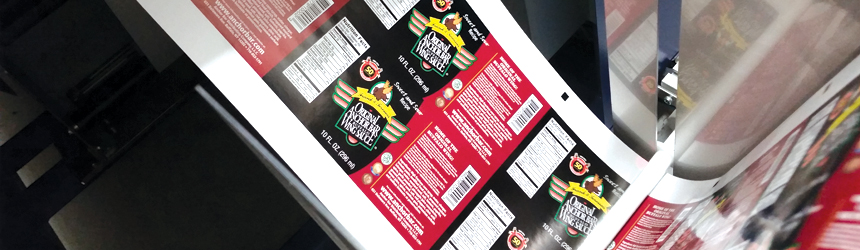
And that neon green the Epson SurePress L-4033AW hit on the first try? It was for a prospective customer that manufactures its own wing sauce—now it’s a current customer.

Sky is the Limit
SCN and Sharp Printing are well versed in how to grow a smaller segment of a business into a larger one. The PSPs’ experiences incorporating digital label production into their shops has left them with an even greater appetite for the market. Both recognize the benefits digital print brings to labels from expanded color gamut to increased media compatibility, and more importantly what these benefits mean for their customers. The sky is the limit when it comes to digitally printed labels.

Click here to view the Digital Label Printers Target Chart – an all-inclusive information resource!

Oct2016, Digital Output

Making a Fluted Living

By Melissa Donovan

Corrugated board printing is driving new business into print service providers (PSPs). For this article, package printing refers to prototypes, packages, and point of purchase (POP) standees—anything structural in nature. There are challenges to printing directly on corrugated board. To address them, manufacturers create flatbeds with features that entice PSPs to utilize the newest digital technologies over traditional analog. These include enhancements to printer temperature, material handling, ink laydown, and productivity.

While challenging, PSPs able to print on corrugated board benefit from its popularity. EFI cited recently that the $130 billion corrugated packaging industry has more than 200 billion square meters of printed output per year—a figure that is more than 25 times greater than the estimated amount of annual signage and graphic output produced.

Understanding Ins and Outs

No substrate is immune to failure, but corrugated board does present its own set of unique challenges. The porousness of the material causes difficulty when it comes to remaining stable on the flatbed and in how ink is laid down.

“Corrugated board is a ‘living’ substrate, it is affected by the environment, manufactured in different conditions by different corrugation machines, it may be transported, and as such is susceptible to deformations,” suggests Amir Shalev, product marketing manager, HP Inc.

The material poses problems that could be foreign to a PSP. “Flutes in the boards create a challenge for digital printers as they don’t restrict the vacuum air flow in order to best hold down the substrate for printing,” says Jay Roberts, product manager, UV printers, Roland DGA Corporation.

“Corners bend easily, boards are very sensitive to temperature and humidity, and, in general, they don’t hold their shape the same way as some traditional rigid graphics materials,” explains G. Scott Wood, senior product manager, EFI. If a board’s corners are bent or the material is warped this increases the risk of printhead strikes.

A board may warp, curl, buckle, or swell due to heat within the printer, or can distort prior to being placed on the flatbed. “While keeping the media flat during printing is crucial, it’s also very important to keep the media flat prior to printing, while it’s in storage. The edges of many substrates can become dinged and bent very easily,” advises Roberts.

The environment the board is stored and/ or printed in plays a role. “An atmosphere where humidity is either too high or too low can cause the board to warp. Most flatbed UV operators are accustom to printing on materials that are not as volatile as corrugated,” suggests Jim Peterson, founding partner, Vanguard Digital Printing Systems.

“The distortion seen on traditional—nondigital grade—corrugated board can be far worse than other media a digital flatbed printer operator would be used to seeing on the substrates that he/she uses,” cautions Becky McConnell, associate product marketing manager, Fujifilm North America, Graphic Systems Division.

How ink is laid down on corrugated board also differs thanks to the absorbent nature of the board and its color. “Corrugated board tends to have a more porous printing surface that can absorb quite a bit of ink. In addition, when printing on a kraft surface the brown color can be quite challenging when trying to match colors,” shares Josh Hope, senior manager, industrial printing, business development and marketing, Mimaki USA, Inc.

Javier Mahmoud, VP of sales and marketing, CET Color, says in most cases the corrugated material isn’t white, which introduces the need for white ink to produce the correct color results.

“Most corrugated cardboard is uncoated and brown, which makes it very difficult to print accurate saturated colors because the pigment sinks into the material. For more money you can get corrugated cardboard with a white clay coat, which improves color reproduction. The other solution would be to put white ink under the colors so the ink cannot sink in and the base is white instead of brown,” recommends Ken Parsley, product manager, Mutoh America, Inc.

“A variety of materials are used for the facestock from raw porous board to white top or kemi board. Porosity varies with temperature and humidity and white top varies in composition. This variance creates a challenge for image quality, relative ink density, and ink finish,” adds Mark Schlimme, director of marketing, Screen Americas.

Carmen Eicher, VP of marketing, swissQprint America, Inc., says the porous nature of corrugated board means it is unsuitable for certain printing processes. “Liquid ink will seep in or spread, creating a blurred image. UV cured ink is the ideal solution, however, if the cured ink is too hard it may crack when the item is processed after printing.”

These issues require manpower to check each sheet to ensure it isn’t damaged prior to print and also during print to avoid any interruptions in the process. Because of this, throughput levels of printing on corrugated board are low.

“Up until now, there has been room for signage and graphics companies to develop a niche in digitally printed corrugated displays and maybe even in very short-run/prototyping packaging, but speed limitations have kept the market from adopting more full-production runs of corrugated packaging in the past,” admits Wood.

One way productivity is limited is when users are forced to combat the curl of corrugated board on a flatbed press by taping around the edges to hold it down, points out Larry D’Amico, director of sales – North America, Durst Image Technology US, LLC.

Digital Dives In

Aware of the potential of digital in the corrugated package segment, multiple flatbed vendors have created new products or enhanced older models to address many of the issues discussed above.

Combating the challenge of the flutes in the boards, which prevent the media from laying flat, flatbed manufacturers have adjusted or enhanced vacuum systems on their tables.

Agfa Graphics’ Anapurna 2540i FB printer incorporates a digitally adjustable vacuum controller for a dual ring blower vacuum system. “Our dual vacuum system on dayto-day normal POP substrates only uses approximately 50 percent of its capacity. This means we have a lot of overhead vacuum suction capabilities that we can ramp up when needed on difficult substrates like corrugated boards,” explains Bill Bouhle, senior application specialist, Agfa Graphics North America.

CET Color’s flatbeds include two vacuums with a four-zone isolation system. This enables the operator to stabilize areas of the corrugated material as it is printed.

The Mimaki JFX500-2131 and JFX2002513 both feature user-adjustable vacuum zones that allow for greater control of the vacuum system by turning off areas of the print bed not being used. This creates a stronger vacuum in the areas where the corrugated board is.

Roland’s VersaUV LEJ-640FT offers a robust vacuum hold down in addition to vacuum zones. These help hold down the media by restricting airflow to specific channels, increasing the suction in those areas.

To address distortion of the board during the print process, manufacturers take into account the temperature of a printer and material handling features.

The Rho P-10 250 series and Rho 1300 series from Durst offer skis to hold corrugated material down. Unique to the ski system are pneumatic pumps and digital movement of the skis for accuracy.

EFI developed cool cure LED technology on its flatbeds, which eliminates the heat component that causes boards to warp. It addition, it now offers a series of material edge guides for its VUTEk GS and HS hybrid printers that hold boards in place as they run through the printer.

Fujifilm’s Onset X series offers three automation choices to help with the handling of corrugated board. For example, a robot automation system uses vacuum-to-vacuum transfer to ensure precision handling starting with a robotic arm pickup, continuing with placement on the print bed, to stacking of the printed board. To avoid crushing the flute and compromising the structure of the corrugated board, the vacuum pickups do not apply pressure.

The corrugated versions of HP’s HDR series—HP Scitex 15500 and 17000 Corrugated Presses—feature the HP Corrugated Grip solution that enhances hold-down power to handle industrial-grade corrugated boards.

Vanguard Digital’s VR5D and VK300D flatbed UV printers include LED curing technology to reduce the heat on the corrugated material during printing. Each Vanguard Digital flatbed is also equipped with PrintGuard crash sensors, which that protect the machine in the unlikely event of a material obstruction.

In regard to challenges with ink laydown, Schlimme says printer and ink manufacturers are teaming up to design and formulate inks targeted specifically for printing to porous corrugated board. He points out that the ability to print a fast and opaque white for image quality critical images is important. Higher end printers can vary ink gloss finish by controlling cure energy and timing.

Mutoh manufactures three LED UV wide format printers—the ValueJet 426UF, ValueJet 1626UH, and ValueJet 1638UH. All of which are equipped with white ink and varnish.

swissQprint ink for its flatbed printers is formulated to be flexible to withstand creasing and folding. CMYK is offered standard on the machines, however up to five additional color channels can be added—white or light colors, orange, violet, and green. Varnish for visual and tactile effects is also an optional feature.

Speed is a concern, especially as digital filters into production-level industrial environments. New printer models offer enhanced production levels.

EFI debuted the EFI Nozomi C18000 1.8-meter corrugated board press at drupa 2016. It runs at speeds of up to 8,100 square meters per hour and can print on boards up to 1.8×3 meters in size. Double-lane printing features increased throughput up to 9,000 80×60-centimeter boards per hour.

A Satisfying Leap

Despite a learning curve, working in the corrugated package printing segment to create anything from prototypes and packages to POP standees is something PSPs should seriously consider.
“As best we see it, the corrugated market is about a $120 to $130B market and growing,” cites Deborah Hutcheson, director of marketing, Agfa Graphics North America.

EFI estimates that the total addressable market for inkjet printers and ink in the corrugated board space is north of $9 billion per year. “That makes it one of the largest market segments we reach across the entire company,” shares Wood.

“While outdoor advertising is competing for consumer attention with electronic displays and with multiple other media streams, printing on a corrugated box or merchandising display puts the marketing message as close as possible to the consumer—in the famous last three feet,” explains Shalev.

In regards to corrugated board, Robson Amorim, international sales manager, Ampla Digital, says “it is a versatile and low-cost material, which with the correct printing and eventually decorative finishing, will add value to the final promotional piece.”

The advantages of digital, with costeffective short runs or larger runs with multiple versions, furthers the appeal of corrugated board.

“The ability to capture local markets in national campaigns has great advantages over traditional printing. I have customers using large run, traditional printing in conjunction with UV digital printing onto pre-printed pieces. Using variable data, they are able to customize these pieces for specific, local markets, allowing for extremely effective, targeted advertising,” says Roberts.

Hutcheson shares that digital corrugated printing is lucrative because PSPs can produce prototypes quickly and efficiently. Or, they can print customized corrugated end caps for one account with hundreds of locations across the country.

“In a world where brands are struggling to be recognized by consumers, directto-board digital printing enables endless customizing of print campaigns and eliminates prepress costs, as no plates or pre-coating processes are required,” agrees McConnell.

Risk with Reward

Corrugated board is a tricky material, but the newest digital flatbed devices are designed to handle it—from vacuum hold down to advanced media handling and the correct ink. The growth potential in the packaging segment is high and PSPs willing to learn the nuances of printing to corrugated board are sure to benefit in the long term.

Oct2016, Digital Output

Appealing to the Masses

By Melissa Donovan

Marketers recognize the appeal of a printed textile promoting a brand or serving as a color backdrop in a retail space, trade show, or other environment. Textiles provide a luxurious look and feel that enhances the appearance of the graphic. One of the more popular display forms adapted for fabrics are silicone edge graphics (SEG) frames.

Three basic components comprise an SEG system—the fabric, a flat silicone strip, and the frame. The strip, sometimes referred to as keder, corresponds to the groove in a frame or stand. The graphic is popped into that groove. Frame manufacturers focus on creating uncomplicated extrusion technologies for users. The goal, make it easy to quickly and efficiently change out graphics.

The Attractiveness of SEG
The popularity of SEG framing systems is based on their light weight and versatility. Both features make the solution applicable to a number of different environments, with options growing as more print service providers (PSPs) become familiar with the application.

Most SEG frames are constructed from aluminum, which is a lighter weight than other metals. In addition, it does not use as much of the metal component throughout the configuration of the frame—making it weigh less. “SEG frames are popular because they are much lighter than standard frame designs, allowing very large format graphics to be installed in locations where it would have previously been a challenge to use a standard graphic frame and/or very expensive to do so,” explains Connie Macias, sales manager, DSA Phototech.

Shipping and handling is also simplified thanks to SEG frames’ lighter weight. The cost to transport a graphic based in one of these systems is significantly less compared to other displays. The combination of a less dense frame and the lighter fabric lowers the weight and subsequently the cost.

The design of the frame makes it easy to pop the graphics in and out, which offers versatility to PSPs and more importantly their customers or the end users. “Graphics are easily changed to keep the message fresh and dynamic and because this can be done by retail staff, there are virtually no on-site installation costs. These frames are a terrific long-term revenue producer for printers. An investment in one frame can trigger repeat sales of new replacement prints, a potential annuity for years to come,” recommends Steven Hegseth, president, Direct LED Frames.

“Graphics are an easy do-it-yourself install for a taut drum-like fit and SEG fabric can be swapped out for multiple messages or events,” agrees Gustavo Correa, VP sales and marketing, North America Display Corporation (NADC).

While the configuration of an SEG system allows graphics to be easily and frequently changed, the frame construction is also versatile. “Modular systems can be customized to exact sizing and shaping needs, and their popularity is boosted because they use fabric graphics that are high end and provide a clean, modern look,” suggests David Nanamaker, national sales manager, Expand International of America.

“There are also many frame types available, from banners to poster frames to inline exhibit back walls, kits, counters and kiosks, which are offered in illuminated and non-illuminated options, making it easy to find a solution that will fit a variety of needs and environments,” adds Natalie Whited, VP of marketing, Orbus Exhibit & Display Group.

Because of their light weight and versatility, SEG systems are increasingly found in environments like upscale retail stores, museums, trade shows, offices, airports, theaters, restaurants, and commercial buildings.

“Both illuminated and unlit versions are popular in environments where the highest quality graphic, brand, and logo reproduction is desired,” says Paula Goodelman, VP sales, Testrite Visual.

SEG frames aren’t just for driving brand awareness, according to Ed Casadonte, sales, and Debbie Crouch, purchasing manager, Outwater Plastics Industries Inc. “Industries like hotels, restaurants, and commercial office buildings are using SEG frames to create murals and decorations for their walls,” they share.

Understanding the System
Ease of use is decidedly one of the most attractive features of an SEG frame. Assembling the frame and graphic does not involve a high level of difficulty even if the installer is unfamiliar with the construction of the frame.

“Unlike other systems that may have many different ways to install graphics, there is only one way to install the SEG— inserting the silicone strip into the groove of the frame,” shares Nanamaker. A successful installation is evident when the graphic tautly runs across the face frame for a wrinkle-free appearance.

Macias admits SEG frame technology is fairly straightforward—as long as a printer is given accurate frame specifications, a fabric graphic sized to fit the frame can easily be created. DSA provides its customers a sample frame for testing to ensure the fabric graphics can be scaled.

That’s not to say all SEG frames are created equal. “There are different frame shapes and depths, which are utilized for different sizes and uses,” points out Nicole Wilson, GM, Tex Visions. PSPs should be aware of the variations. Tex Visions’ smallest frame depth is only used for wall mounting, as larger sizes can’t be supported. Larger sizes are used for freestanding floor displays.

In addition, it’s important to note that while the practice of placing the keder in the frame is similar for all systems, the creation of the frames themselves and their interlocking hardware may vary. NADC offers corner brackets that when turned with a hex key securely hold the sides of a frame together. Orbus provides extrusion frames that assemble with twist-and-lock connectors or by expanding a collapsible display and attaching channel bars.

Foreign Territory
For PSPs unfamiliar with SEG frames, a few features should be taken into account that are normally not considered when working with traditional framing systems.

“Factors include channel width, material thickness and stretch, and the thickness of the silicone beading that is applied to the edges. Depending on the intended use for the SEG frame system, material thickness may vary. Non-illuminated displays may require a thicker material than illuminated displays for the best results, and channel depth may also vary based on the application,” explains Whited.

Michael Kurilec, managing director, Expolinc Corporation, says the primary issue is fitting the graphic correctly. “If sizing is off in any manner, such as too small or too large, this adversely affects the quality of the SEG in the system,” he cautions.

In response to this issue vendors offer systems that eliminate even the smallest error in measurement and take into account the different levels of stretch in various fabrics—both factors that can cause a graphic’s sizing to be off. At Expolinc an ideal fit of the graphic in the frame is addressed with its patented spring loaded frame.

Designing a graphic for an SEG frame is different than when working with other framing systems that do not involve keders and grooves. Casadonte and Crouch explain that a printer must take into consideration the bleed necessary for the attachment of the silicone edging, which can be anywhere from three millimeters thick and 12 millimeters wide, and create a file with proper bleed marks.

Wilson also suggests considering the assembly and transport aspects of the display system. “SEG frames tend to be more stationary versus other displays because the setup is more time consuming than a traditional backdrop. However, they are long lasting and sturdy, so once the display is assembled, no upkeep is required.”

A Sizable Selection
Thanks to overwhelming demand, many manufacturers of extrusion technologies develop SEG framing systems in a variety of sizes and dimensions.

According to Kurilec, due to the light weight of the graphic, the size of frame can almost be limitless—within reason. He says the most popular sizes are eight to 20 feet high and eight to 20 feet wide.

“Large sizes are most popular, but also smaller frames provide maximum impact very efficiently,” says Hegseth. At Direct LED Frames, frames are available in any size and are expandable to unlimited sizes.

DSA offers frames as small as 10×10 inches and as large as 10×17 feet. The most commonly requested frame size is 36×48 inches, however Macias states that larger sizes measuring at least six feet in each direction are increasingly popular. Typical trade show booth sizes are 10×10 and 10×20 feet. Frames are designed to accommodate this. Nanamaker says Expand’s standard kits are usually designed to match these common booth dimensions.

Casadonte and Crouch argue that there isn’t really any “truly popular size” due to the endless options available. However, Outwater Plastics specifically offers SEG frames in 4×8-, 5×6-, 6×6-, or 8×10-foot sizes.

“Each style frame is utilized for a different purpose, so it’s hard to say. The smaller sizes are popular with clients because the frames ship assembled so they don’t have to take the time to set up the product. However, larger sizes make a statement as they’re highly visible and are sure to get noticed,” shares Wilson. Tex Visions’ most popular size frames range from 2×3 to 8×10 feet.

Customized displays outside of the traditional 10×20 feet are possible. “Non-standard shapes and sizes such as a peaked roof style back wall or angular cut outs to coincide with brand elements are extrusion-based modular frames that fit the needs while providing the desired edge to edge, taut appearance,” says Whited.

Demand for SEG Frames
SEG framing systems are found everywhere from retail stores to commercial office spaces. Their appeal is broad and variety even more inclusive. Manufacturers offer PSPs and end users a range of options from smaller scale frames to gigantic configurations to satisfy demand.

Oct2016, Digital Output

High Quality, Good Fun

By Cassandra Balentine

Many big brands thrive on their reputation, and therefore each time logos and other noteworthy branding is recreated, it must be done to spec. Thanks to advancements in flatbed media handling more print service providers (PSPs) expand their offerings and print directly to a range of materials—from traditional foamcore to increasingly popular corrugated board—and guarantee this demand is met.

Well Rooted
Hal Leader opened up a service bureau in 1968, mainly providing typesetting for banks and advertising agencies in Buffalo, NY. Taking on the name of PrintLeader, today the PSP focuses on producing specialty graphics and services for a series of markets, including retail, banking, corporate, sports, and gaming.

Additionally, it boasts nationwide installations of murals, vehicle and fleet wraps, large-scale building wraps and banners, and signage.

To produce this range of output, the PSP operates a variety of printing and finishing equipment, including two swissQprint Impala printers, a pair of HP Inc. latex printers, and a Gerber Technology cutter. In addition, the shop utilizes software from Caldera.

Its two Impalas were purchased in 2011 and 2012. The UV printers offer six colors plus white. Bill Paulot, president/CEO, PrintLeader, says the printers were selected due to the superior quality and performance over the competition, which he believes is still true today.

PrintLeader shopped around before investing in the swissQprint Impalas. Due to its clientele, it needed a device that could print high-quality graphics and offered an expanded six-color configuration plus white.

Although production speed is important to the print provider, it is quality that ultimately drives its decisions. “Most companies look at speed and four-color configurations. We do a lot of color-critical work. Color is everything to our clients. A six-color machine is the only way to do that right,” adds Paulot.

In Good Fun
PrintLeader’s flatbed print equipment enables output to a variety of media options. One of the more fun applications the shop creates is life-sized standees. Primarily, these graphics are printed on high-end media including Gatorboard, Dibond, Sintra, or Komatex.

A recent standee project involved corrugated media at the request of a loyal customer, a local hat company. Each year, the apparel provider attends the Comic-Con International convention held in San Diego, CA. This year, it requested life-sized standees of Darth Vader from Star Wars to help generate attention for a Star Wars themed line of hats.

The customer submitted the character file, and PrintLeader created two, 38×78-inch standees. The job was produced on a swissQprint Impala on C-flute corrugated media using Sun Chemical Corporation’s SunJet UVcurable inks. It was cut on a Gerber M-3000 flatbed cutting system.

Eric Leader, print operations manager, PrintLeader, says the Impala devices provide superior quality and the ability to print on the delicate material.

Although the shop generally recommends producing standees on sturdier media for durability and quality reasons, the C-flute corrugated media was selected because the client wanted to fold it in half for more cost-effective shipping.

In addition to the actual printing, cutting is essential to the profitability of the job. “We utilize an automatic cutter, which reads print control dots that are added to the file. It will cut the job no matter what material is used,” explains Paulot.

The turnaround was about 48 hours and they were used for the duration of the Comic-Con event.

Selfie Zone
A few years back, the shop helped dress six grain silos into what resembles a six pack of Labatt Blue at Buffalo RiverWorks, an entertainment complex that resides alongside the Buffalo River.

The base of the silos are painted “Labatt” blue, and PrintLeader manages the production and installation of the graphic elements on 3M Commercial Solutions vinyl. Paulot notes that the silos are 100 feet tall and take over a quarter mile of vinyl to wrap. Each silo required more than a day to complete. The company partners with a specialty installer, Brogan Brands, on the project.

The silos were originally wrapped by PrintLeader and remained up for two years. The shop just rewrapped the six pack to freshen its look to match the new Labatt Blue’s cans that were released this year.

A Winning Combination
PrintLeader is committed to quality, but stands out with its creativity. In addition to banners and vehicle wraps, the shop showcases its talent by utilizing many graphical elements to produce a life-sized pop culture icon or transform grain silos to mimic a six pack of beer.

Oct2016, Digital Output

Need for Speed

By Cassandra Balentine

As wide format print engine manufacturers increase speeds on flagship devices, finishing equipment vendors are focused on productivity. Many print service providers (PSPs) in the wide format space rely on fl atbed routers and cutters as versatile solutions for digital finishing. Advancements in speed, cutting tools, and media handling enable improved efficiency that translates to added revenue opportunity.

Differentiating Features
In addition to speed requirements, media and service versatility place pressure on features expected of production equipment; this includes more tool options, wider widths, and automation.

Stephen Bennett, VP sales central and distribution, Esko, says the greatest demand for more productive and efficient flatbeds comes from the need to match faster print speeds. However, the nature of digital print—shorter, variable runs—is also a factor. “The only way PSPs can meet pricing for larger jobs is through digital print and finishing.” He suggests this trend is happening now because brands look for increased marketing control based on geographic and demographic demands.

In addition to varied content, media versatility enables PSPs to off er more services. Therefore, they look for printing and finishing solutions that can handle a range of diff erent substrates on top of high speeds.

According to Beatrice Drury, director of marketing and communications, Zünd America, the variety of available substrates and the demand for digitally printed graphics reaches across industries, bringing with it a need for differentiation and faster turnaround. “The proliferation of digital printers has caused the cost of printing to go down, making graphics more accessible, flexible, and personal. Th is plays perfectly into the expectations, particularly among younger generations, for the on demand and instantaneous availability associated with other forms of digital communication.”

Roberto Rodriguez, director, Digital Graphic Systems (DGS), adds that wide format print shops and commercial printers are actively looking for solutions that differentiate their products and set them apart from the competition. “I personally believe that the era of wide format printing as we know it—roll-to-roll printing on banner and adhesive vinyl—is gone as a money maker. These days, the technology is so easy and inexpensive to grab, that competition has become extremely aggressive and prices are really low. So, by acquiring flatbed router/cutter equipment and software, print shops intend to enhance the finishing part of the graphics production process or create structural designs—rather than just printed graphics. With more value added, creativity and functionalities open the space for additional substantial margins. In the end, PSPs are looking to bring their profit margins to the levels the industry had a few years ago,” he says.

To handle the abundance of materials and produce more applications, an in-house routing/cutting solution’s role evolves. “Doing more work with fewer resources is a key element in competing with companies that are able to take on larger jobs just based on their scale. Smaller companies working efficiently with minimal interaction can be competitive due to their agility to adjust for changing markets,” shares Josh Hope, senior manager, industrial printing, business development and marketing, Mimaki USA, Inc.

PSPs hope to gain efficiency with multifunction solutions. “For example, users that have a CNC spindle router are looking for add-ons that will let them use blades and scoring tools in their existing machines to cut soft materials such as foam, cardboard, and fluted polypropylene,” explains Rodriguez. “Other print shops that already have a blade cutter are looking for tools that will let them make V cuts for 90-degree bending on materials such as foam and structural/honeycomb boards. This way, the portfolio of products offered to their customer is expanded and may include corrugated point of purchase (POP) displays, packaging, and portable furniture and trade show booths.”

Dylan Hoffman, engineer, Colex, sees a shift to machines that perform both router and knife cutter tasks. “In the past, knife cutting machines had limited routing capability or vice versa. Routers were typically slow at knife cutting and knife cutters too lightweight for high-demand routing. As of recent, the knife cutting machines are increasing their routing capabilities by escalating the power and robustness of their spindles. While the router machines add a wider range of knife cutting tools to cover a larger array of media,” he explains.

Hope believes the key to higher productivity and efficiency lies in the ability to automate the finishing processes as much as possible to reduce the number of touches the piece encounters in production. The more functions a piece of equipment can perform, the more efficient the process becomes.

Continued Development
In order to meet productivity and substrate versatility demands, a number of advancements have been introduced to flatbed routers/cutters. Common upgrades involve speed, tool options, and media handling.

Better tool stability and versatility affects speed expectations of a router/cutter. Therefore, the focus on improvements isn’t so much on speed, but instead on underlying features such as tool performance and availability, each improvement further enabling the efficiency of the latest equipment.

Steve Aranoff, VP, sales and marketing, MCT, Inc., points out that improved tools can help with productivity, such as liquid cooled routers that operate faster and for longer periods of time and faster oscillating knives. “The overall limitation is in machine motion, which has been slow to improve. Added tools, such as laser for fabric and acrylic allow for the sealing of edges in a single operation, reducing the need for costly and time consuming secondary finishing steps, such as hemming and flame polishing,” he adds.

Drury explains that increased robustness in overall system designs lead to greater tool stability, which enables the processing of thicker, tougher materials—like corrugated or honeycomb display board—at full machine speed without a loss of edge quality.

She notes that the availability of tools that match the material being processed is equally as important. “For example, there are a range of substrates that require an oscillating tool, but some do better with more power and greater stroke depth, while others require faster oscillating frequencies and shorter strokes. One cutting tool does not fit all materials, so the greater the tool choices available, the better the system can be tailored to meet individual cutting requirements and deliver maximum throughput.”

She adds that similarly, the available range of bits, blades, and other consumables matters as well, because choosing what is best for the job and material at hand can significantly impact both processing speed and output quality.

Media plays an important role, especially as PSPs invest in fabric printing.

Aranoff says efficient motorized roll handling for heavy fabric rolls improves the ability to evenly lay down fabric without stretch or puckering on the cutting table, reducing the need to straighten out the fabric by hand and potentially eliminating a second person to handle fabric, especially with roll widths of 3.2 meters and heavier fabrics being print and cut.

Outside of fabric, low-cost board loading capabilities bring the same kind of efficiency improvements to rigid materials. “Some PSPs call feeders their most productive employees, as they pace the operation of the system,” continues Aranoff. “A board feed and/ or motorized roll handler cost less than the annual cost of a finishing employee while dramatically increasing throughput.”

Drury shares that the more recent generations of automatic sheet feeders are both simpler and more reliable than when they first appeared on the market. Paired with automatic or robotic offload/stacking devices these create powerful, fully automated non-stop production systems that require little to no operator intervention.

“For roll applications, too, there is now a wider range of options available. Depending on the type and characteristics of material to be processed, customers can choose from simple roll-off devices with guide rollers to sophisticated, motordriven systems with dancer bars and other tension-control devices designed for materials that are particularly prone to wrinkle or stretch,” says Drury.

Hitting the Ceiling
Productivity improvements are regularly introduced, leading some to wonder about maxing out on speed capabilities.

Hoffman notes that in the last five years, there has been a vast growth in print speed. “Printhead technology has advanced rapidly. Printers now hitting the market are getting faster without losing clarity and color saturation. There is also advancement in ink technologies. The new inks coming out dry faster, allowing for quicker workflows requiring finishing equipment to be faster and more efficient.”

Current digital finishing capabilities continue to improve in throughput and cutting areas, according to Aranoff, but require a major change in technology before there are significantly faster options available.

Bennett says that there is always a ceiling. “However, addressing the faster printer speeds with two cutters and robotics that can serve two tables at a time is very significant.” The latest cutters can produce more than 100 displays an hour in full production mode, which is close to competing with a die press.

“There is no doubt to the physical limits of the speed at which blades/bits can be pushed through materials without a significant loss of quality and consistency; so there will be a ceiling there,” admits Drury. “Productivity, on the other hand, is a different story. There really is no limit to productivity since it simply becomes a matter of scale. You can always add cutters— especially more efficient cutters— perhaps some equipped with more than one beam,” she offers.

“One of the most exciting aspects of our industry is the constantly evolving level of technology we bring to customers,” says Hope.

Manufacturing Costs
PSPs must weigh the pros and cons of an investment. Flatbed router/cutters with all the bells and whistles are attractive, but require a thorough return on investment (ROI) analysis before they are brought into a shop. The cost of manufacturing can dramatically shift when comparing manual or analog tasks with the output capacity of an automated router/cutter.

Rodriguez points out that the purpose of most flatbed router/cutters is to be able to do short, on demand runs. “For largevolume production, other technologies are more efficient and less costly, such as mechanical die-cutting systems. The trick here is to target just-in-time personalized projects that can be handled with digital systems. This is the trend in almost any industry,” he offers.

Hope believes that the name of the game is reducing production costs for the ultimate end user on changing short-run work while remaining profitable. “On the machine manufacturer side, as new technology becomes more affordable, we are able to incorporate it into new devices that help the end user achieve stronger profit margins.”

The more efficient the cutter, the lower the cost of the print. “In other words, the more time wasted with less than optimal finishing workflows, the more projects rejected and wasted because of poor cut quality; the more time and labor spent on proper setup, tool selection, material handling, processing, and offloading and kitting; and the higher the production costs,” says Drury. “Especially considering the lifespan of flatbed cutting/ routing systems, which at 20 years or more tends to be quite a bit longer than that of printers, it becomes quite obvious that purchasing a well-built, highly productive system capable of consistently delivering superior throughput really pays off,” she argues.

“The flexibility of digital presses and cutters changes the equation from manufacturing costs to whether or not a specific project will be produced at all for the brand owner. All marketing projects need an ROI. Product managers will estimate how many units can be sold with the addition of a POP display, and manufacturing costs will be accepted or declined depending upon whether the project will be profitable. With digital printing and finishing, more projects are done because the process is more cost effective. Projects for more, but smaller, SKUs can be done. Digital is working for many print providers but in the form of more, smaller jobs rather than fewer, larger ones. This is also reducing warehousing costs,” explains Bennett.

Aranoff believes the cost of hand versus digital cutting is most obvious in three instances. First, the total cost of material is getting more expensive than cutting labor for rigid materials, so the savings in accuracy and acceptance with less scrap is important. Secondly, there is a major cost and loss of control when the type of customer job dictates the work that a PSP can accept or requires having it finished elsewhere, both of which impact the bottom line and the attractiveness of the PSP to its customer base. Finally, in the case of fabric, customers have indicated they have saved between eight and 12 people per shift of use moving from manual hot knifing to automated cutting with a laser. They also report that the productivity significantly improves their sewing performance, as sewers no longer have to wait for work to be hand cut.

Recent Announcements
Several manufacturers offer automated flatbed router/cutters for wide format. Recent improvements are designed to improve efficiency and productivity across an entire operation.

Colex recently introduced the new super wide Sharpcut 3232 Conveyor Flatbed Cutter for sign, graphics, and textile finishing. The ten- by ten-foot device features a triple interchangeable tool head, energy efficient 12-zone vacuum system, automatic roll feed, and optional automatic board feeder allowing for faster production runs.

DGS added three new tools to its DGS DYSS V-Pro X5/X7/X9 Series router/cutters. These include a rotating blade tool, which is designed to cut fabrics, including polyester and canvas; a tape dispenser tool, which applies double-sided tape to the substrate automatically in the designated spots; and an automatic bit changer function/tool that allows the automatic router bit to change if the machine has the router option. The latter two tools are only available on the X9 Series Esko introduced a number of new products and features at drupa in May 2016. The company has streamlined and improved its Kongsberg table portfolio to help customers more easily identify the systems that best suit their needs, including predefined and fully upgradable configurations.

Customers choose from two primary families—Kongsberg X and Kongsberg C—each having a range of table sizes and configurations.

“These two distinct product families from Esko give customers a clear and simple choice between the greatest flexibility for versatile and creative jobs—the Kongsberg X; or the best productivity for efficient production runs—Kongsberg C,” shares Bennett.

The Kongsberg X offers the flexibility of upgrading to add more cutting, creasing, and milling tools as business needs develop. Kongsberg C is a top choice for short-run production, building on the existing Kongsberg C line, which has been extended with smaller table sizes.

The new Auto Tools Adjust on Kongsberg tables uses camera inspection and digital image processing to adjust the tool in the machine at the start of each job. When the new job requires a diff erent tool, Auto Tool Adjust automates tool setup for a selected substrate.

Esko has integrated its Kongsberg tables with its workflow automation software, Automation Engine. Automation Engine’s Device View gives better control over finishing production. Work in progress and the status and queues of all connected devices are clearly visualized on screen. The software determines optimal sheet nesting to increase production capacity. Operators use an intuitive drag-and-drop interface to prioritize table queues, insert rush jobs, and balance workloads between tables.

MCT recently released its next-generation Vision capability, TigerVision, which is fully integrated into the VersaTech operating software. In addition, it introduced its new ten-foot wide board feeder to augment the performance of its VersaTech 3.2-meter wide cutters. It also increased the cutting length of its 3.2-meter wide cutters with full conveying capability and 6.4 meters in length. A second generation, patent pending conveying belt for laser cutting is also new. Th is belt improves accuracy and performance when converting between traditional contact cutting using a mat belt and laser cutting using an aluminized conveyor belt.

Released in 2015, the Mimaki CFL-605FT compact cutting plotter is a 20×24-inch model that has the capabilities of a much larger device such as both swivel and tangential knife cutting; creasing; reciprocating cutting; and optical registration mark detection. Included in the package is a quiet vacuum pump.

Hope explains that while this device was originally seen as a packaging prototype cutter for office environments, it is gaining popularity as an alternative production machine for smaller runs that might not be efficient on a larger bed cutter. He says it is also embraced as a training device, enabling students to gain experience with cutting workflow at a fraction of the cost of a full-sized production cutter.

Zünd recently introduced its automatic bit changer or ARC, which is integrated with the Zünd Cut Center digital production workflow. The system consists of a freely configurable eight-bit magazine that automates selecting, clamping, and initializing router bits as well as cleaning them. Compared to switching bits manually, automated bit changes are faster with reduced setup times and virtually no potential for error.

The Zünd D3, the company’s latest addition to its line of digital cutting/routing systems, according to Drury, gives customers the ability to make one machine equal two. “The new D3 features twin beams that can carry up to three different tool modules and operate independently and simultaneously in one ultra-efficient production workflow. Depending on the specifics of the job, this configuration can effectively double the throughput of a single-beam cutter,” she offers.

Controlling Costs
Every PSP is challenged with maintaing low manufacturing costs in order to remain competitive and profitable. Each equipment investment must be carefully considered, and each tool must make an impact on the bottom line. Flatbed routers/ cutters represent a big investment with a large payoff if the timing is right. The latest in available tools and media handling are designed to improve productivity, both through speed capabilities and substrate compatibility.

Sep2016, Digital Output

Visualizing the Product

By Melissa Donovan

Package prototypes and elaborate point of purchase (POP) standees are relatively new to digital wide format. Digital provides a cost-effective way for companies to create life-size one off s of structural designs that customers can then use to visually convey their intended idea to the buyer.

The printing and finishing process may be the easiest part for the print provider tasked with this job. Designing a package or standee is foreign to many wide format print shops accustom to dealing with two dimensional (2D) signs and banners on a daily basis. Constructing a three dimensional (3D) box shape, designing multiple sides, and ensuring the measurements are correct for it to be pieced together can be challenging.

To help alleviate some of the pressure, there are design software programs specifically targeted toward package prototype and POP standee creation. For print service providers (PSPs) committing to this service, it’s important they consider investing in a solution right away. Tools like templates and 3D modeling save in costly errors and minimize mistakes. Programs are user friendly for those familiar with design terminology and help generate a return on investment (ROI).

When to Invest
For a PSP seriously considering getting into this niche, investing in a software solution to help design and measure correctly is a necessity. Ideally, working with a program prior to starting that first job presents a professional look to the customer.

“Designing 3D POP displays from scratch using 2D design software is very difficult and time consuming. When first starting out, it can take days to design a POP display that will correctly fold, stand, and hold products,” cautions John Blundell, product manager, SA International (SAi).

Roberto Rodriguez, president, Digital Graphic Systems Inc. (DGS), suggests that creating structural designs of this nature requires just as much practice as any other new service, so purchasing the software well ahead of a job allows time to play with it and become familiar with the various features.

“With this rush to packaging we fi nd that many printers are playing catch up. Th at is, they purchase a die cutter or other manufacturing equipment and then realize that they need to be able to communicate with their suppliers and customers intelligently about structural design. So, when considering entering packaging and display production the software to design, visualize, and output this information is critical,” shares Jim Silianoff , president/ CEO, Arden Software North America.

Features to Figure Out
A number of features found in these software programs take the guesswork out of structural design. Th is includes 3D modeling, layout, and templates. PSPs designing package prototypes and POP standees not only benefit by saving time and minimizing error, but also enhance the proofing process.

“3D modeling is a must. Th is feature allows a designer to create the structure—or add the graphics—on a 3D model rather than making changes on a 2D fl at. Th at gets us to where designers have the opportunity to add graphics to the structure. A 3D application ensures that graphics are placed as required, and are right reading. They can also send 3D images—with the ability to spin them around to inspect all sides—to all supply chain partners,” explains Stephen Bennett, VP sales central and distribution, Esko.

Silianoff recommends using 3D modeling as more than just a design tool and instead having it act like a close-to-real proof. “PSPs can begin to rely on the software as providing not only a service for their customers but using it as a sales tool by incorporating 3D with the graphics and visualizing the packaging in a number of different environments,” he shares.

“3D proofs not only streamline the job approval process, but also reduce costly post-production rejects. The more realistic the proof is that customers approve, the less chance of surprise when they see the final product,” adds Blundell.

Blundell also believes nesting features are ideal because of how costly cardboard sheets are. He advises using a true-shape nesting feature, where the software nests and arranges all of the print elements efficiently across the print board. “Without this type of nesting, production runs can waste up to 40 percent more material,” he advises.

Design templates are handy for PSPs not familiar with structural work. “I think that the number one feature to look for has to be a templates library, especially for print shops new to this type of application. Professional software will give you a large library, easily modifiable just by changing the measurements and the material thickness, so the structural design—normally the most difficult part—will be smoother in the long run,” says Rodriguez.

Familiarity in Design
Many PSPs familiar with traditional design software should have a relatively easy time learning how use structural design programs. The terminology and even visual icons are not foreign concepts.

“There are solutions in the market to fi t every level of userability. For example, POP display software that operates as a plug-in to Adobe Illustrator requires users to be fluent with Illustrator and off er powerful design capabilities,” recommends Blundell.

However, Bennett says there is a difference in graphic and structural designers. “Structural designers apply the knowledge to ensure that a display will hold all the products without any danger of collapsing. Graphic designers tend to focus on making the design appealing enough for the consumer to respond to it and pick the product up. It’s sort of a left brain and right brain difference,” shares Bennett.

Sometimes it isn’t about the program and adapting prior knowledge, it’s more about the application. “It’s not a question if the user is fluent in design software, the question is how fluent the user is in design. The software is a tool that can be easily learned by a beginner who understands packaging. It can be as easy as point, click, and output assuming the user knows what they are looking for,” suggests Silianoff .

Calculating the Buy
As print buyers become savvy to the package and POP standee world, many will ask their existing PSPs if they can do that work. Jumping at the opportunity could mean outsourcing a large portion of the job if a PSP isn’t experienced with structural design work. Bringing the order in house can be a huge cost saver in the long run, meaning an investment in specific software is worth the initial cost and added labor.

For PSPs questioning the cost of a software product, Silianoff recommends they look at the amount of money they are paying for outsourced design time, which is a rising cost as jobs become more complicated and you lose control of the situation. “When bringing design in house you are greatly reducing the frustration of not getting what you want when you want it, which is directly translated to getting the customers what they want when they want it,” he continues.

“If you are a print buyer and you need to find a designer to create POP, you might also find that the designer has a printing business of his own. Now the print provider has lost the account. The more you keep under your roof, the better off you are for account control, and also for quality and deadline control,” agrees Bennett.

ROI is an important measurement. It can decide whether the service and any new technology—in this case software for package prototypes and POP standees— is worth the investment.

“The two key metrics for ROI are time to design and cost of production. Prospective buyers should get an evaluation version of different software and see how much it reduces their design time and production costs per job. Based on the number of jobs they expect to produce, they can calculate their time to ROI,” suggests Blundell.

Structural Software Options
Here we share some software solutions targeting the package prototype and POP standee space.

Arden’s Impact software solution is an open system built on a fully integrated database. Many configurations are available to work with all business systems. Its capabilities allow it to communicate with anyone in or out of the packaging and graphics communities. Features include 3D modeling and animation, a standard library, layout creator, and in-store visualization.

DGS offers Kasemake V11 software, which guides designers through the creation process. It includes prompts when drawing tools are selected, sharing how the tool works and what the next step would be in the process after use of that tool is completed. The software is based on vector lines, which are compatible with most common design software programs. A template library offers an extensive number of designs, which users can decide to work with or customize based on their requirements. Kasemake also offers a 3D workspace to visualize the finished product.

EngView Systems’ Package & Display Designer Suite is specialized for boxes and POP displays with support for materials like folding carton, corrugated board, and rigid board. It combines a comprehensive library of parametric components and designs with Adobe Illustrator integration. A modular structure, users can customize the software solution to fit their needs.

Esko’s ArtiosCAD is ideal for corrugated, folding carton, and POP display designers. The ArtiosCAD Display Store offers users downloadable templates for a range of POP displays. A material library is also helpful in determining how to build and design with corrugated versus other rigid materials. For graphic designers, all the tools have been embedded as plug-ins to Adobe Illustrator, making it easy to learn.

SAi’s DisplayGenie offers users a selection of 3D templates, simple placement of artwork, and quick 3D viewing. It creates 3D PDFs that PSPs can email to customers to view in Adobe Acrobat. An animated 3D folding preview helps catch mistakes prior to production.

Committing to the Program
Purchasing software for an entirely new service is a commitment, one not to be taken lightly. Prior to adding, it should be determined whether the company is equipped in equipment and staff to handle the additional workload. Structural software designed for package prototypes and POP standees helps alleviate stress related with offering a new service, providing features like 3D modeling, layout, and templates that save both time and money.

Sep2016, Digital Output

Opaque Vinyl and Film

By Dana Hatic

Companies and advertisers lean on pressure-sensitive media to emblazon objects, most commonly vehicles, with on brand graphics. As technology improves and the world becomes more mobile, producers of vinyl and film media must meet a larger demand for products while simultaneously developing new technologies and expanding the available options to suit customers’ needs.

Opaque vinyl and film are one of these options. The opaque properties effectively cover up existing graphics on an object by changing—or shifting—the color. If a vehicle was previously painted or textured, for example, a wrap using this type of substrate provides an easy way to mask the previous use or appearance of a vehicle, no matter its make and model.

Wraps can cover entire objects, like buses, or small areas, like car doors, fenders, or bumpers. Installation offers a level of ease and efficiency that outshines traditional techniques like standard custom paint jobs. With the variety of color options available from substrate providers, the possibilities are endless for the design-savvy end user hoping for a unique vehicle.

History of Demand
Traditional wraps—where media is printed on directly—remain a large percentage of the market. However, the use of color change film and vinyl is finding a place in the industry as well. It began with basic black, white, and gray and has transitioned to matte, texture, and opaque options.

“As many in the North American vehicle wrap market know, the industry started in Europe,” says Ryan Scislowicz, manager of business development and marketing, KPMF USA. Years later, the use of vinyl and film wraps on everything from cars to buses, trucks, and even trash cans is universal worldwide.

“Solid color change wraps have grown throughout Western Europe for the past five to seven years. Automotive customization is taken to the next level with the introduction of color change wraps. People who wouldn’t have the resources or want to spend over $5,000 for a respray are happy to spend money on a changeable wrap,” continues Scislowicz.

While solid color change film and vinyl is prevalent, opaque is a newer product gaining traction. “There has always been a strong demand for opaque vinyl in out- of-home advertising applications such as transit advertising where buses, trains, subways, and street furniture become the canvas for captivating graphics,” explains Jodi Sawyer, market development specialist, FLEXcon.

With a surplus of customizable color options, there are prime opportunities for non-advertising uses as well. According to Craig Campbell, market manager – graphic products, Orafol Americas, consumer demand is primarily responsible for the dramatic increase in this growth.

“There is a growing interest among individuals looking to wrap their own personal vehicles, as a way to set them apart. Recent demand can also be accounted for as the opaque film product lines grow and advance, including expanded color options that allow for more creative uses,” adds Paul Amos, marketing manager, 3M Commercial Solutions.

Josh Zaller, product manager, Avery Dennison Graphics Solutions, agrees, citing how people want to be unique and this manifests itself in the aftermarket automotive world.

Application Usage
Opaque substrates are used to cover everything from walls to windows and vehicles. Vinyl and film are available in different thicknesses and textures, which make the media suitable for multiple purposes.

Sawyer says that removable adhesives and calendared opaque vinyl, which starts in molten form and is fed through calendar rolls to produce a somewhat thicker final film at three to four millimeters, “provide the ideal combination for promotional graphics/wraps that are changed over frequently,” offering a balance between performance and cost, since calendared products are less expensive and often easier to remove than cast vinyl, which is thinner. Yet cast vinyl has its advantages as well. The product is flexible, at one to two millimeters thick, and it can cover complex surfaces.

Opaque products handle differently than traditional wrapping film, depending on the thickness and how prone it is to wrinkling. “Keeping the product as flat as possible during processing can help or laminating multiple films together to provide more body for installation is another possible solution depending on the application,” continues Sawyer.

“The conformability of the films makes it possible to wrap any number of objects and surfaces,” shares Zeller.

Assorted appliances, cabinets, and counters can accommodate wraps, along with other vehicles like bicycles and boats, according to Scislowicz.

Jason Yard, marketing manager, Mactac Distributor Products, points to objects like appliances, game consoles, and other furniture-type applications as popular options to consider.

“There are cases where it has been used on doors and other nontraditional surfaces. Large retail facilities have integrated these products into their branding and signage because of the stress- free installation and removal of the films and vinyls makes them easy to update, unlike paint,” says Amos.

Colors and Cost
Media manufacturers hurry to meet demand and introduce new colors on a frequent basis. These hues vary based on trends, the calendar year, and more.

“In short, the more dramatic and unique the colors are, the more attractive and appealing they are to the consumer. Because vehicle customization is the main driver of growth, the consumer wants anything that can’t be achieved or perceived as stock from the manufacturer,” continues Campbell.

For KPMF, popular products feature exotic colors, and “matte and satin finishes continue to remain at the top because they’re unique and less expensive than the paint alternative. Chrome films are also popular, but they have a more limited customer base due to their cost. Outside of full color changes, vinyl has been used extensively for chrome deletes, roof blackouts, and accent graphics,” says Scislowicz.

The diversity of products allows customers to find the exact wrap to suit their needs. Amos says 3M colors like cinder spark red, ice blue, and white gold sparkle have been well received since their introduction.

“Cast vinyl manufacturers continue to create new colors based on color trends and customers’ wants and needs,” agrees Robert Rundle, viscom market manager, Ritrama. The company provides custom color matching for corporate colors. Rundle says red wraps are always in demand.

Meanwhile, at FLEXcon, “silver, gold, reflective, and specialty films with shimmery effects are popular with advertisers because they give the ad dimension and movement that draws attention,” says Sawyer.

Avery Dennison constantly evaluates color trend reports, according to Zaller. He’s noticed that bright colors tend to emerge on a seasonal basis.

The cost to use a solid color change substrate versus something more specialized like an opaque varies depending on the manufacturer. For example, straight shade colors from KPMF retail for around $1.25 per square foot, but metallic colors as well as chameleon and textured films can go for as much as $4 per square foot.

Expanding Customization
The options available to brands, advertisers, and consumers who want to use vinyl and film color change wraps continue to evolve and expand as the industry strives to perfect materials. The cost benefits and increasing color options make them a leading material for businesses and individuals alike.

Sep2016, Digital Output

A Shift in Markets

By Melissa Donovan

From giclée prints to photography reproduction, print providers rely on high end capture solutions including flatbed and drum scanners, camera systems, or proprietary configurations. The correct equipment properly captures the original piece of work, pixel by pixel, and allows the print provider to replicate the image without losing quality.

Fine art and photography reproduction is more than just capture, however, the printers and media used are important considerations. Without the correct ink set in the printer or proper grade paper, the reproduction can fall short. The two print service providers (PSPs) profiled here understand the importance of the entire creation process, from capture to color correction, print, and the tools used to finish the piece.

This understanding has served them well and allowed them to take what they know and adapt it to other environments where photography-like quality is required, for example high-end fashion and museum exhibits. With significant backgrounds in fine art reproduction, these companies have avoided remaining stagnant in an ever changing business and grown into new market segments.

Seamless Process
Based in New York, NY, Laumont Photographics celebrates over 30 years in business. 55 employees play a role in its range of services for fine art print production, from scanning, retouching, imaging, and printing to mounting, laminating, custom framing, crating, and installation. Customers are worldwide, in both North and South America in addition to Asia, Australia, and Europe.

“Early on, we developed a reputation for our ability to reproduce original paintings and other media so well that at first glance, even the owners of the originals couldn’t tell the difference. The process, of course, starts with the best scanners that allow us to match the originals precisely,” explains Philippe Laumont, president, Laumont Photographics.

The business began at the advent of digital photography and digital print, with five high-resolution drum scanners used to capture art. A few years later a 40×60-inch Cruse Digital Imaging Equipment scanner was brought in for scanning super wide pieces. According to Laumont, in the flatbed world, the Cruse scanner is a huge improvement over original hardware. The model the company uses today offers sophisticated lighting options that preserve three dimensional textures with reflections.

On the printing side, Durst Lambdas and a 72-inch Océ Lightjet 500XL were and still are used for chromogenic prints. Then several Iris printers were added to keep up with changes in technology. As digital inkjet advanced, the company brought on both pigment and UV wide format printers.

Epson devices are the PSP’s wide format printers of choice. “This is based on their reliability, achievability, and ease of use,” admits Laumont. Today its 44,000 square foot space is home to the Epson Stylus Pro 9900, Epson Stylus Pro 11880, and Epson SureColor P20000. Ink used includes Epson UltraChrome HDR, Epson UltraChrome K3, and Epson UltraChrome PRO, respectively.

“Each Epson printer has improved wiTheach evolution of the printer, and the SureColor printer line is no exception. Between custom profiles and incredible print profiles on our Epson printers, creating exceptional output has been a seamless process,” shares Laumont.

A recent printer addition is outside of the Epson portfolio, with a twometer/ 96-inch swissQprint UV flatbed printer. Both the fine art and commercial customer base that makes up Laumont Photographics is excited by the flexibility and width of this device. Laumont has great plans for its use.

For media, while admitting there are too many products to list, Laumont does cite some mainstays from Epson’s archival offerings to Awagami Factory, Canson Infinity, Hahnemühle, Innova Art Ltd., and Moab by Legion Paper. All of the company’s printers are compatible with a range of substrates, which allows Laumont Photographics to offer its clients high-quality prints on a variety of substrates including cotton rag, canvas, Japanese, luster, glossy, and satin.

Laumont specifically points to the Epson SureColor P20000 as “opening up a whole new set of options for clients that have been traditionally tied to darkroom printing.” A client base with a discerning eye looks for perfection and Epson’s printer lineup, according to Laumont, “offers optically sharper images than the traditional chemical process. While we still offer silver printers, we can also offer archival pigment prints on a myriad of substrates.”

Quality for All
Phil Paradise, CEO, Plug Production Group, founded the business in 2003 after years of working in bigger print shops. The goal—develop a smaller, boutique-style, quality-driven facility with a focus on clients’ needs. 13 years later, the company is thriving. 33 employees work out of a 30,000 square foot facility located five miles outside of New York, NY in Carlstadt, NJ.

It offers wide format printing, photographic visual display, mounting and finishing, event print production, museum and retail visuals, and dimensional cutting of multiple substrates. The shop prints on a variety of high-quality media, from fabrics to acrylic, tile, laminates, and metal.

Plug’s customer base ranges from top retailers to museums, graphic designers, event marketers, and entertainment professionals. Major customers include Aldo Shoes, Bryant Park NYC, Crunch Fitness, the NBA, NFL, Saks Fifth Avenue, and Santander Bank.

The company has followed the natural progression from lab services to wide format inkjet over the years. Specifically, it went from traditional print services to HP, Inc. DesignJet printers and now runs HP Latex devices. It started with the HP Latex 850, 300, and 370 printers and now operates three HP Latex 3500 126-inch printers.

For Paradise, the HP Latex printers’ environmental benefits, resolution, substrate compatibility, and lower maintenance costs are what make them a fit.

“The future is quality, speed, and environmentally friendly output. I have much respect for the craft and art of photo processing, however, in my opinion, the fine art and photography industry have already moved into our new technology. I’m particularly impressed with our grayscale printing on fine art paper and canvas,” he continues.

Thanks to the print capabilities of the HP Latex printers, Plug offers photoquality work outside of traditional fine art. For example, using its HP Latex 850 at the time, the PSP printed a graphic used to wrap a pool for the movie The Heist. Using 3M Commercial Solutions’ 3M Controltac Graphic Film Series 180 and 3M Scotchcal Luster Overlaminate 8519, the combination of media and ink provided both high quality and durability for this particular job.

Segue Between Markets
Both Plug and Laumont Photographics work with some of the newest technology to offer customers fine art reproductions. Because of this, additional customers outside of the traditional fine art realm benefit. A graphic used for a high-end fashion display or a set in a movie may be captured and then enlarged and printed on a wide format device. PSPs practicing these techniques are able to segue from the traditional fine art market to a whole new client base that equally admires highquality output.

Sep2016, Digital Output